Free Recurring Expense Tracker for Renewals, Fixed Costs, and Monthly Bill Pressure
A free recurring expense tracker should focus on renewals, subscriptions, and fixed monthly charges first. It should own the fixed-cost review job instead of competing with a general free expense tracker for every category in the budget.
At a glance
- Recurring bills and renewals
- Free first-pass recurring review
- Built for fixed-cost pressure
Open a no-card free recurring expense tracker workflow first while read-only bank security keeps recurring expenses, renewals, and monthly bill pressure visible through imported account context during the first billing cycles.
Use the existing transaction feed to surface subscriptions that keep affecting recurring expenses, renewals, and monthly bill pressure month after month.
Set renewal buffers a few days ahead, a week ahead, or right at the due date for recurring expenses, renewals, and monthly bill pressure before the charge lands again for this review.
See how renewals and recurring bills affect the month instead of reviewing them as isolated charges during the review.
Practical guide
Why recurring charges keep surviving longer than intended
Subscription tracking matters when it surfaces the services that no longer earn their place. The real pressure comes from how those recurring charges compete with recurring expenses, renewals, and monthly bill pressure across the rest of the month.
The bigger problem is rarely one dramatic subscription It is the loss of visibility that makes recurring spend feel normal long after the original need disappeared for this workflow.
The useful review combines overlapping services, annualized cost, and reminder timing in one decision pass so users can decide what to keep with context instead of reacting to charges one by one for this cycle.
- Look for charges that renewed without recent use
- Group duplicate streaming, storage, and delivery services
- Check whether each renewal still fits the current month
Practical guide
How subscriptions turn into annual cost creep
Recurring costs create drag because they renew without demanding a fresh decision Three or four modest charges can quietly turn into the annual cost of a stronger buffer, a debt payment, or a meaningful savings step for the user.
When recurring spend sits next to balances, bills, and goals, it becomes easier to judge what deserves to stay and what is simply delaying recurring expenses, renewals, and monthly bill pressure.
- Review the annual cost, not only the monthly price
- Compare each charge with the goal or buffer it is delaying
- Flag services that still renew after the original need disappeared
Audit routine
Three rules for auditing monthly subscriptions
Open the free recurring expense tracker review by gathering repeating charges into one dashboard instead of bouncing between card statements and email receipts Then separate essential bills from optional services so the monthly conversation stays focused.
Finally, set a reminder before the renewal date and decide whether the service stays, gets downgraded, or leaves the budget The strongest subscription workflow turns that check into a short routine instead of a once-a-year cleanup project.
- Rule 1: Review all recurring charges from one dashboard
- Rule 2: Separate required bills from optional subscriptions
- Rule 3: Set reminder lead times before the renewal posts
3-step setup
How to audit recurring charges in 3 steps
This workflow is built for catching renewals, setting reminders, and auditing monthly burn quickly.
Link accounts or enter subscriptions manually
Create the free dashboard, then pull in transactions through a read-only bank-linking flow or start with a manual list for recurring expenses, renewals, and monthly bill pressure.
Detect recurring merchants and set renewal alerts
Separate streaming, SaaS, memberships, and essential bills inside free recurring expense tracker, then set 3-day, 7-day, or due-date reminders before the renewal lands.
Audit monthly burn and decide what stays
Audit total recurring burn for free recurring expense tracker, check what each service costs over the year, and decide what stays before the next statement closes.
Product screenshots
See the product behind the copy
Screenshots shown: Subscriptions, Transactions.
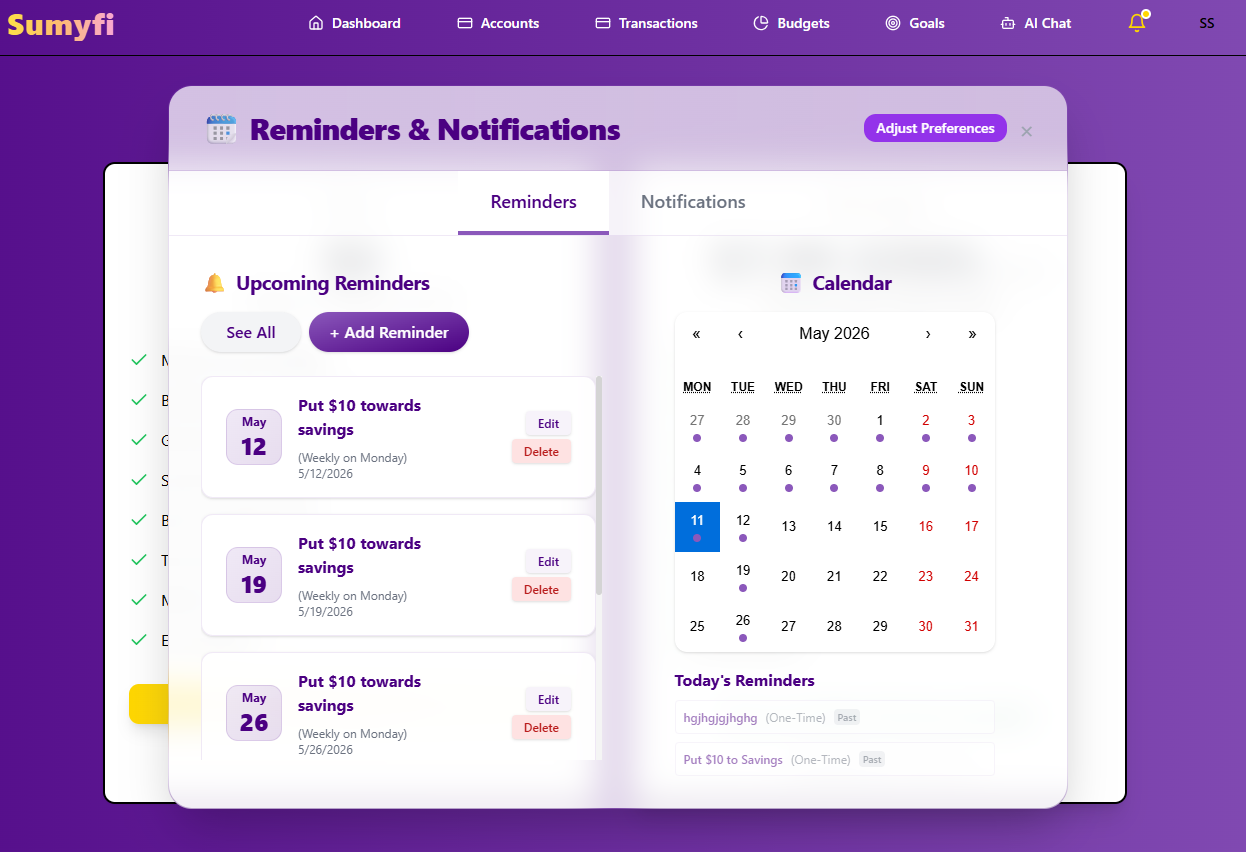
Subscriptions brings recurring charges, reminders, and renewals into one review.
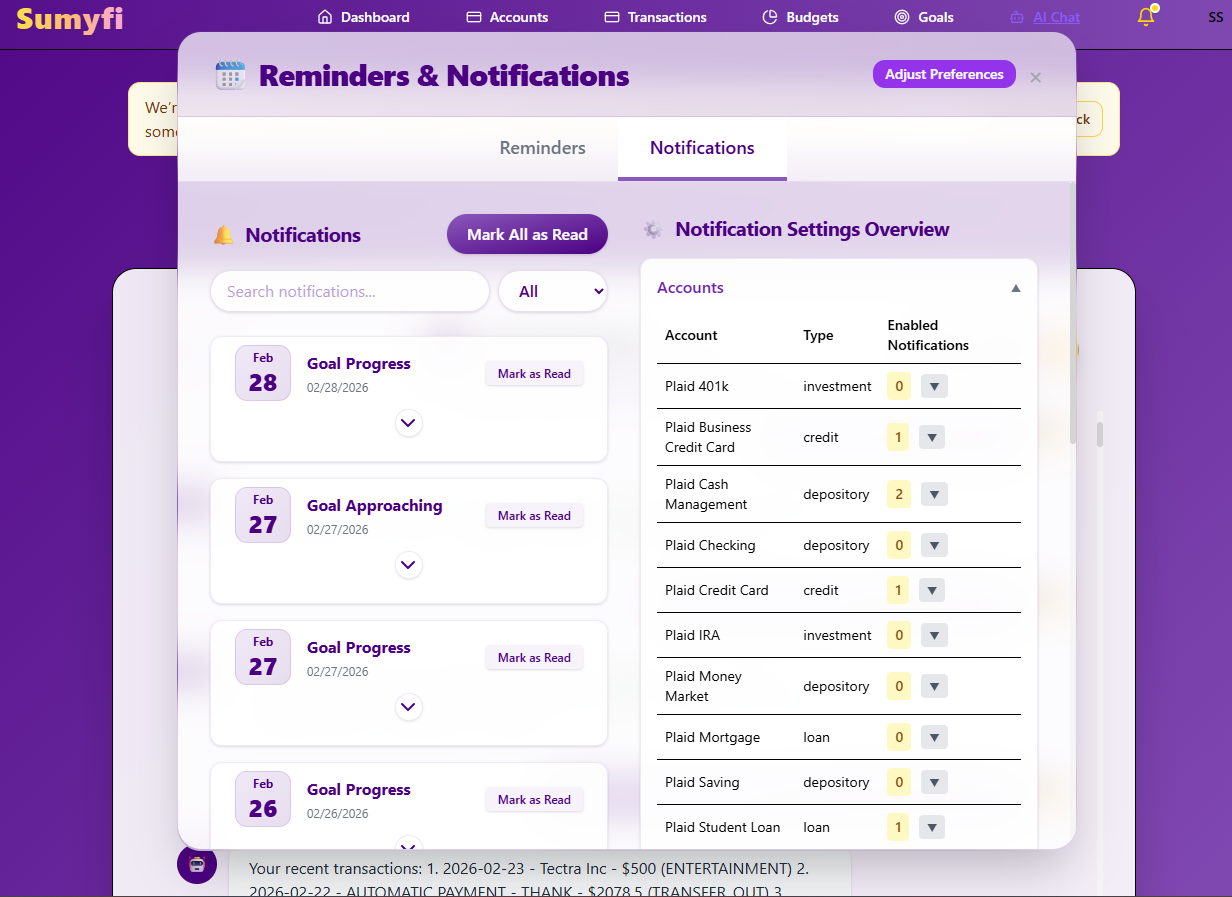
Subscriptions brings recurring charges, reminders, and renewals into one review.
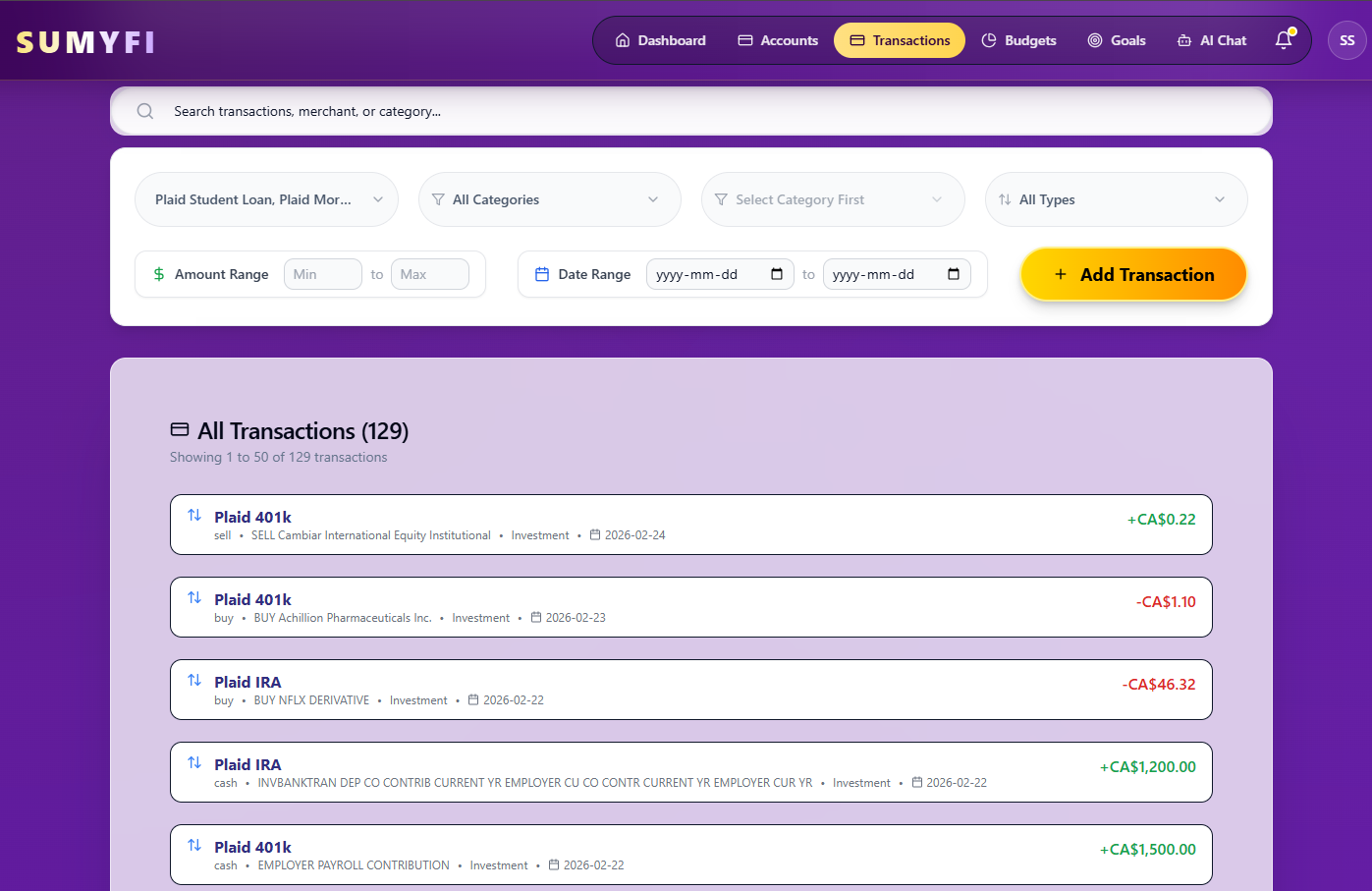
Transactions brings recurring charges into one review so upcoming renewals are easier to spot.
Comparison table
How free recurring expense tracker compares when the goal is broader recurring-spend control
This free recurring expense tracker table stays focused on cancellation timing, category clarity, and whether the review loop survives past setup week for this workflow.
| Decision area | Sumyfi | Traditional single-purpose trackers |
|---|---|---|
| Recurring merchant review | Recurring merchants, renewals, and reminder timing in one dashboard | Charge list with lighter monthly context |
| Reminder intervals | 3-day, 7-day, or due-date alert timing | Simpler nudges with less control over timing |
| Category clarity | Separate streaming, software, memberships, and fixed bills | Recurring charges are often grouped more broadly |
| After-cancellation value | Still useful for recurring expenses, renewals, and monthly bill pressure and monthly tradeoffs | Often strongest only during the first cleanup pass |
Free plan
What's included in the free plan
The free plan should be clear before anyone decides whether deeper subscription tracking is worth paying for while recurring expenses, renewals, and monthly bill pressure is still being tested in real monthly reviews during the first billing cycles.
- Open a free account first so the workflow can be tested before any paid decision is required.
- Track balances, transactions, categories, goals, and recurring bills from the same web interface.
- Use a manual starting point first for free recurring expense tracker while you confirm the routine is worth automating before broader automation becomes useful.
- Treat free recurring expense tracker pricing as the last step after the free recurring expense tracker dashboard has shown whether it fits the routine during comparison.
Recommended next reads
Read 5 related articles next
Related reading for the next question.
FAQs
Frequently asked questions
Is free recurring expense tracker really free to start?
Yes. The no-card entry point is meant to make recurring-charge review usable first while recurring expenses, renewals, and monthly bill pressure is still being tested in real monthly use during the first billing cycles.
How do renewal reminders work?
Renewal reminders are designed to catch the charge before it blends into the statement not after the monthly damage is already done for this cycle.
Can it separate streaming, SaaS, and other recurring merchants?
Yes. The workflow helps split optional subscriptions away from fixed monthly bills instead of treating every recurring charge the same way for this workflow.
Does it help after I cancel the obvious services?
Yes. The follow-up value comes from using the same dashboard after the easiest cuts are finished cash-flow tradeoffs, and spotting the next recurring leak during the next cycle.