Sumyfi Editorial Team • Updated 2026-09-01
Connect All Bank Accounts in One App Without Losing the Bigger Money Picture
Use one dashboard for checking, savings, credit cards, and investment accounts into one unified dashboard so balances, recurring activity, and next actions stay easier to review.
People looking for one app to connect all bank accounts are usually done with tab-hopping. They want one place that gives them a reliable answer to what changed, what looks off, and what deserves attention right now across checking, savings, debt, and investing.
A lot of dashboards win the sync step and still lose the review step. They centralize data without reducing mental reconciliation. This guide is trying to separate those two jobs so buyers can judge whether the product actually shortens decision time after the accounts are connected.
If you want account aggregation to lead to clearer decisions rather than one more overview to babysit, Sumyfi is the more complete answer This guide is looking for.
At a glance
- One dashboard instead of many logins
- Clarity after aggregation
Built for buyers tired of jumping across institutions just to rebuild the money picture.
Aggregation only wins when the dashboard helps users understand the combined picture faster.
Strongest for users who want accounts, recurring charges, and planning context to live together.
What to compare
The best all-accounts app does more than gather balances into one screen
A lot of aggregation pages over-focus on how many institutions can be connected. That matters, but buyers also need to judge what the app helps them do after setup. Can they spot transaction drift quickly? Can they see recurring bills in context? Can they connect the account view to budgets, savings goals, or net worth? Those are the questions that make an all-accounts dashboard genuinely usable.
The best product turns account aggregation into orientation. It should reduce login sprawl and reduce mental sprawl at the same time. If it only solves the first problem, it still leaves too much work on the user.
- Compare usability after sync, not just sync promises
- Look for recurring-bill and spending context alongside balances
- Prefer the dashboard that shortens weekly review time
Best-fit buyers
Who needs a broad money dashboard instead of an aggregator-only tool
The broad dashboard is the better fit for users who want one place to review balances, transactions, recurring charges, goals, and net worth together. These buyers are not just chasing convenience. They are trying to reduce fragmented awareness and make the weekly money picture easier to trust.
A simpler aggregation-only approach may still appeal to someone who only wants a combined account snapshot. But many visitors searching This guide are already beyond that. They want a dashboard that helps them think, not only a dashboard that helps them log in less often.
Migration guidance
How to move from scattered logins or spreadsheets into one review flow
Start with the accounts you check most often and the recurring charges that create the most monthly pressure. Once those are visible in one place, the product should make it easier to answer what changed, what deserves action, and which decisions affect the next week or month most.
The next step is to test whether the dashboard eliminates other tools. If you still need separate places for subscription review, budgeting, or goal tracking, the all-accounts app may not be broad enough for the workflow you actually want.
That is where Sumyfi has higher conversion potential. It gives users a path from connection to clearer decisions instead of leaving the value proposition at account sync alone.
Buyer checklist
What serious aggregation buyers should compare first
- Does the app turn many institutions into one understandable review flow instead of one crowded summary screen?
- Can you move from account visibility into recurring-spend review and planning without changing tools?
- Is the dashboard useful after the sync is finished, not only during setup?
- Will the product still feel clear when you have checking, savings, cards, debt, and investments connected?
- Does the company look trustworthy enough for a long-term all-accounts workflow?
Why Sumyfi
Built for users who want aggregation to become orientation, not just coverage
The strongest case for Sumyfi here is that connected accounts are only the starting layer. The product helps people turn that connected data into budgeting visibility, recurring-spend awareness, and better next decisions.
Product screenshots
See the product behind the copy
Screenshots shown: Accounts, Dashboard.
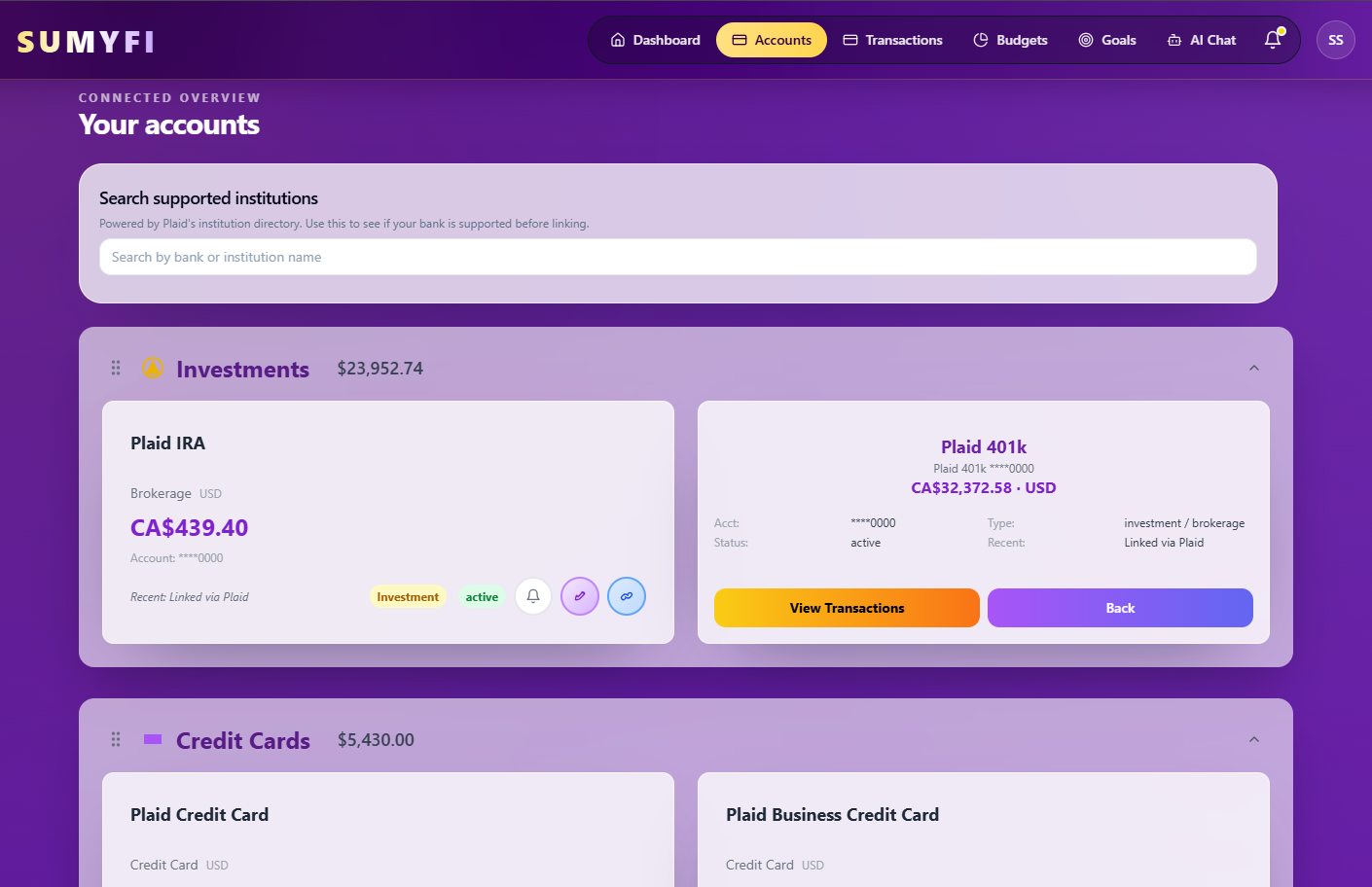
Accounts gives you a single view of connected and manually added accounts.

Dashboard brings balances, transactions, and linked accounts into one overview.
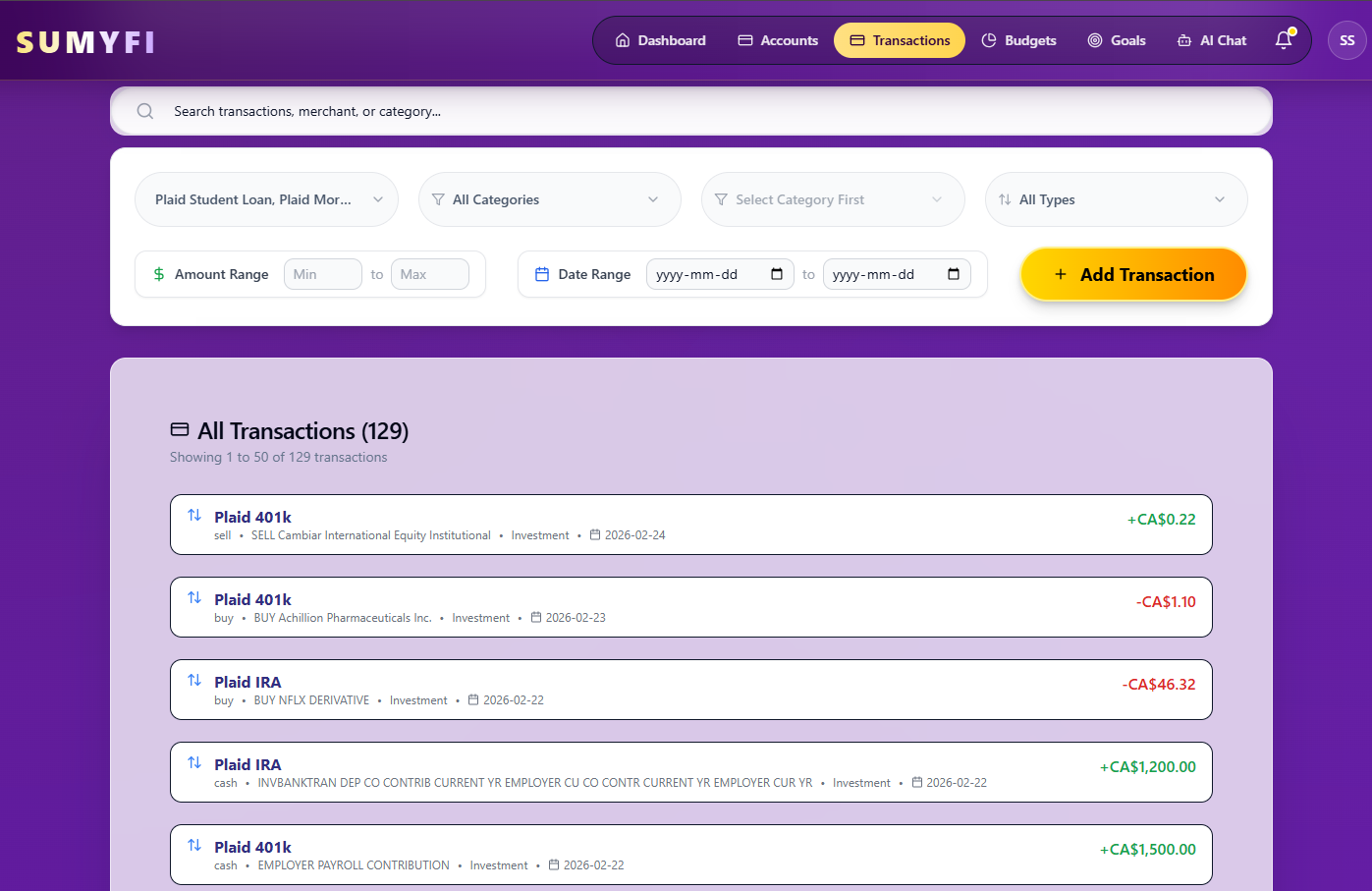
Accounts gives you a single view of connected and manually added accounts.
Comparison table
What to compare when choosing one app for all bank accounts
This table focuses on the practical decision areas that matter once you move beyond coverage claims and start judging whether the dashboard can become your real financial home base.
| Decision area | Sumyfi | Aggregator-only mindset |
|---|---|---|
| Pricing | Check live pricing and current offer details | Varies widely depending on tool and business model |
| Key features | Connected accounts, budgets, recurring bills, goals, net worth, and broader decision support | Primarily centralizes accounts and balances into one place |
| Account syncing | Sync is designed to support a broader dashboard workflow | Sync is often the main value proposition |
| Subscription tracking | Recurring charges stay visible beside the account picture | May require separate tools or a narrower workflow |
| Budgeting | Budgeting is part of the same environment | Often limited or external to the core aggregation job |
| Net worth tracking | Included as part of the broader dashboard | Sometimes visible, but not always tied to ongoing planning |
| AI features | AI direction supports interpretation and next-step clarity | Usually not central to the aggregation-only value proposition |
| Best for | Users who want one review flow for all accounts plus decisions | Users who only need a consolidated balance snapshot |
| Migration or switching | Best when the goal is to replace scattered logins and fragmented finance tools together | Best when the goal is limited to centralizing account access |
Recommended next reads
Read 5 related articles next
Related reading for the next question.
FAQs
Frequently asked questions
What is the best app to connect all bank accounts in one place?
The best app is the one that not only connects your accounts, but also turns that combined view into a usable dashboard for spending review, recurring bills, goals, and broader financial decisions.
Is account aggregation enough on its own?
Usually not. Most people looking for one app for all accounts also need transaction context, recurring-bill visibility, budgeting support, or net worth tracking so the dashboard becomes genuinely useful after setup.
Should I choose an all-accounts app with budgeting and net worth tracking?
Often yes. Keeping those functions in the same product reduces fragmentation and makes the connected account picture easier to act on during a normal weekly review.
How do I compare trust when choosing an app for all bank accounts?
Look at the company's public security information, product transparency, pricing clarity, and whether the dashboard looks credible enough to become part of your long-term money routine.
Who is Sumyfi best for on This guide?
Sumyfi is best for users who want one dashboard for connected accounts, recurring bills, budgets, goals, and net worth rather than an aggregation-only snapshot.
Keep exploring
Next guides for all-account dashboard buyers
These pages help the visitor move from aggregation into the next questions around budgeting, subscriptions, net worth, AI guidance, and trust.