Use one clear workflow for irregular freelance income, taxes, expenses, and planning in one system with practical comparisons, concrete product details, and fewer disconnected money tools.
Yet, this independence comes with a unique set of financial complexities that can quickly become overwhelming. From irregular income streams and self-employment taxes to distinguishing business expenses from personal outlays, the financial landscape for independent contractors is a labyrinth that demands a specialized approach.
Traditional personal finance apps, often designed for salaried employees, frequently fall short of addressing these intricate needs. What freelancers require is not just a budgeting tool, but a comprehensive financial command center - a solution that offers granular control, automated insights, and a holistic view of their financial ecosystem.
The Freelancer's Financial Labyrinth: Why Standard Solutions Don't Cut It
The allure of freelancing is undeniable, but beneath the surface of creative freedom and flexible schedules lies a financial reality that is anything but conventional. Unlike W-2 employees who enjoy predictable paychecks, employer-sponsored benefits, and simplified tax withholdings, freelancers operate in an environment characterized by variability and self-reliance.
Understanding these inherent challenges is the first step toward identifying the truly best finance app for freelancers.
The Unique Financial Hurdles of Independent Professionals:
- Irregular and Variable Income: Perhaps the most significant challenge. Income can fluctuate wildly from month to month, making traditional fixed budgeting models impractical and cash flow forecasting a constant puzzle. One month might bring a windfall from a major project, while the next could be lean.
- Self-Employment Taxes & Estimated Payments: Freelancers are responsible for both the employer and employee portions of Social Security and Medicare taxes, plus income tax. This often translates to significant quarterly estimated tax payments, which must be accurately calculated and strategically saved for. Failing to do so can lead to penalties and immense stress.
- Blurring Lines Between Business and Personal Expenses: When your home doubles as your office, and your personal laptop is also your primary work tool, categorizing expenses accurately becomes a daily battle. Commingling funds or misclassifying expenditures can lead to missed deductions and auditing nightmares.
- Invoice Tracking and Payment Collection: Unlike a direct deposit, freelance income often relies on invoicing clients and diligently tracking payments. Delays are common, and managing accounts receivable can be a time-consuming administrative burden.
- Lack of Employer-Sponsored Benefits: Health insurance, retirement contributions, paid time off, and sick leave are all responsibilities that fall squarely on the freelancer's shoulders. These necessitate dedicated financial planning and budgeting.
- Project-Based Budgeting and Profitability: Each project often has its own revenue, costs, and timeline. Evaluating the profitability of individual projects and understanding the true hourly rate earned requires sophisticated tracking beyond simple income vs. expense.
- Cash Flow Management: With unpredictable income, managing cash flow is paramount. Freelancers need to ensure they have enough liquidity to cover both personal living expenses and ongoing business costs, even during lean periods.
- Saving for the Future: Building an emergency fund, saving for retirement, and investing for long-term wealth are even more critical - and often more challenging - for freelancers due to income volatility.
Why Generic Finance Apps Miss the Mark for Freelancers
Most popular personal finance applications, while excellent for their intended audience, are simply not architected to handle the specific intricacies of freelance finance.
The conclusion is clear: freelancers need a finance app that is not merely a personal budget tracker but a sophisticated, agile, and intuitive financial hub capable of handling the unique demands of entrepreneurial income.
Designed for W-2 Simplicity
They assume a steady, predictable income stream and a clear separation between "employer" and "employee" responsibilities.
Limited Business Expense Categorization
While they might allow custom categories, they often lack the robust, tax-optimized categorization needed for business deductions (e.g., home office, professional development, client entertainment, software subscriptions).
No Integrated Tax Planning
Generic apps rarely offer features for estimating quarterly taxes or easily generating reports specifically tailored for Schedule C or other self-employment tax forms.
Absence of Project-Specific Tracking
They typically don't allow for tracking income and expenses against individual client projects, making profitability analysis difficult.
Manual Workarounds Become Tedious
Freelancers often find themselves exporting data to spreadsheets, manually manipulating categories, and performing complex calculations outside the app - defeating the purpose of automation.
The Indispensable Features of the Best Finance App for Freelancers
When evaluating potential financial management tools, freelancers must look beyond superficial aesthetics and delve into the core functionalities that genuinely address their complex needs.
Automated Transaction Tracking & Intelligent Categorization
This is the bedrock of any effective finance app. For freelancers, it's even more crucial:
Robust Income & Expense Management
Managing the ebb and flow of freelance income and the myriad business expenses requires precision:
Proactive Tax Preparation & Estimation Support
Tax season is often a source of dread for freelancers. The right app transforms it into a manageable process:
Holistic Net Worth Tracking
While often overlooked by freelancers focused on immediate cash flow, understanding your net worth is crucial for long-term financial health:
Dynamic Budgeting & Financial Planning for Variable Income
Traditional static budgets don't work for freelancers. The app must adapt:
Insightful Cash Flow Management
Predicting and managing cash flow is vital to prevent financial shortfalls:
Comprehensive Reporting & Visual Analytics
Data is powerful, but only if it's presented clearly and actionable:
Uncompromising Security & Data Privacy
Trust is paramount when dealing with sensitive financial data:
- Superior User Experience (UX) & Accessibility
Even the most powerful features are useless if the app is difficult to navigate:
By meticulously evaluating these criteria, freelancers can move beyond generic solutions and pinpoint a finance app that truly empowers their entrepreneurial journey.
Automated Transaction Import: Transactions should sync automatically and in near real-time.
Project-Based Income Tracking: The ability to link specific income payments to individual client projects or invoices provides invaluable insights into project profitability and client value.
Comprehensive Expense Logging: Detailed tracking of every deductible business expense, from internet bills and professional development courses to co-working space fees and software licenses.
Smart, Customizable Categorization: Beyond basic "groceries" or "utilities," the app needs to intelligently suggest and allow for highly specific business categories (e.g., "Software Subscriptions - Business," "Client Meals - 50% Deductible," "Home Office Utilities"). The ability to create custom rules for recurring transactions (e.g., always categorize "Adobe Creative Cloud" as "Software Subscriptions") is paramount.
Personal vs. Business Segregation: A clear, intuitive way to flag transactions as either personal or business-related is non-negotiable. This prevents commingling and simplifies tax preparation.
Receipt Management (Optional but Highly Valued): While not always a core feature, the ability to attach digital receipts to transactions can be a lifesaver during tax season or an audit.
Vendor Management: Tracking payments to subcontractors or other vendors.
Estimated Tax Calculation & Reminders: The app should help estimate quarterly tax obligations based on income and expenses, then provide timely reminders for payment deadlines.
Tax-Optimized Categorization: Pre-set or easily customizable categories that align with common tax forms (e.g., Schedule C).
Exportable Tax Reports: Generate clear, organized reports of income and expenses, categorized for easy transfer to tax software or an accountant. This saves countless hours.
Deduction Identification: Insights into potential deductions based on categorized expenses.
Aggregated Financial View: A single dashboard showing all assets (bank accounts, investments, real estate, business assets) minus all liabilities (debts, loans).
Historical Net Worth Trends: Visualizations that show how your net worth changes over time, providing motivation and insight into financial progress.
Investment Tracking: Integration with brokerage accounts to monitor investment performance.
Flexible Budgeting Models: Support for "zero-based budgeting," "envelope budgeting," or customizable variable budgets that adjust to fluctuating income.
Income Forecasting: Tools to project future income based on current projects, proposals, and historical data.
Goal Setting & Tracking: Ability to set and monitor progress towards specific financial goals (e.g., emergency fund, retirement savings, down payment for a home, business expansion).
"Pay Yourself First" Integration: Features that encourage setting aside funds for taxes, savings, and retirement *before* discretionary spending.
Cash Flow Projections: Visualizations that show anticipated income and expenses over the coming weeks or months.
Early Warning Systems: Alerts for potential cash flow shortages based on upcoming bills and projected income.
Buffer Tracking: Helping freelancers build and maintain a financial buffer to smooth out income volatility.
Customizable Reports: Generate reports on income by client, expenses by category, profitability by project, or overall cash flow.
Intuitive Dashboards: Visually appealing and easy-to-understand dashboards that summarize key financial metrics at a glance.
Trend Analysis: Identify spending patterns, income trends, and areas for financial optimization.
Intuitive and Clean Interface: A slick, modern design that is easy to understand and use, minimizing the learning curve.
Introducing Sumyfi: The Unrivaled Financial Command Center for Freelancers
In a financial landscape often cluttered with fragmented tools and outdated methodologies, Sumyfi emerges as the quintessential modern solution for independent professionals. It's not merely an app; it's a meticulously engineered, all-in-one personal finance hub designed from the ground up to address the complex, dynamic needs of freelancers, independent contractors, and self-employed individuals.
Sumyfi doesn't just track your money; it transforms your relationship with it, providing unprecedented clarity, automation, and control. It's the best finance app for freelancers because it was built for the way you work, live, and aspire.
Sumyfi's Core Value Proposition for the Modern Freelancer:
Deep Dive into Sumyfi Features Tailored for Freelancers:
Let's explore how Sumyfi specifically addresses the critical needs we identified earlier, making it the undisputed best finance app for freelancers.
Effortless Net Worth Tracking: Your Holistic Financial Compass
For freelancers, understanding true financial health extends beyond monthly income. Sumyfi provides a dynamic, real-time snapshot of your entire financial universe.
Intelligent Transaction Automation: Streamlining Your Daily Finances
This is where Sumyfi truly shines, eliminating the most tedious aspects of freelance finance management.
Dynamic Budgeting for Variable Income: Stability in Volatility
Traditional fixed budgets crumble under the weight of irregular freelance income. Sumyfi offers the flexibility you need.
Streamlined Tax Prep Support: Conquering Tax Season
Tax time is often the biggest headache for freelancers. Sumyfi transforms it into a straightforward process.
Comprehensive Financial Institution Connectivity: Unifying Your World
Sumyfi prides itself on its expansive and reliable connectivity.
Visual Analytics & Insights: Making Data Actionable
Sumyfi turns raw financial data into clear, actionable insights.
Security & Peace of Mind: Your Data, Protected
Sumyfi understands the immense trust you place in a financial app.
Sumyfi vs. The Status Quo: Why Modern Freelancers Choose Evolution
For too long, freelancers have been forced to choose between cumbersome manual spreadsheets or generic finance apps that simply don't understand their needs. Sumyfi represents a paradigm shift, offering an experience that is superior in every conceivable way.
The Spreadsheet Trap: A Relic of the Past
Legacy Apps (Mint, YNAB, Monarch, Rocket Money): A Step, But Not the Leap
While these apps have served many well, they often fall short for the specialized needs of freelancers:
Sumyfi is different. It was built with the modern entrepreneur in mind. Its agile engineering ensures a lightning-fast, intuitive experience, and its focus on comprehensive, automated financial management for both personal and business aspects makes it the definitive choice for freelancers seeking clarity, control, and efficiency.
[Experience the Sumyfi Difference - Sign Up for Free Today!](https://www.sumyfi.com/signup)
Replaces Manual Spreadsheets Entirely: Bid farewell to tedious data entry, error-prone formulas, and endless hours wrestling with Excel. Sumyfi automates the entire process, freeing you to focus on your craft.
Comprehensive Asset Aggregation: Connect all your accounts - personal checking, business savings, investment portfolios, retirement funds, even debt accounts. Sumyfi pulls all this data into one cohesive view.
Visual Trend Analysis: See how your net worth evolves over time. This vital metric helps freelancers understand their long-term financial trajectory, encouraging smart decisions about savings, investments, and debt reduction.
Lightning-Fast Setup & Intuitive Onboarding: Get up and running in minutes, not hours. Sumyfi's user-centric design prioritizes ease of use from the very first login.
Slick, Crystal-Clear Dashboard Interface: Experience a visually stunning and highly intuitive dashboard that presents your entire financial world at a glance. No more digging through menus or deciphering complex charts - just actionable insights delivered beautifully.
Empowering, Not Overwhelming: Sumyfi is built to empower you with information, not drown you in data. Its design philosophy centers on providing clarity and control, making complex financial management feel effortless.
Clarity on Business Assets: If you have business savings, equipment, or other tangible assets tracked in your financial institutions, Sumyfi integrates them into your overall net worth, giving you a complete picture of your entrepreneurial wealth.
Bank-Level Connectivity (US & Canada): Sumyfi's robust infrastructure links to virtually every major bank, credit union, and investment platform in North America. This ensures all your transactions, both personal and business, are automatically imported.
Algorithmic Categorization: Sumyfi learns your spending habits. It intelligently categorizes transactions, and for freelancers, this means distinguishing between "Software Subscription - Personal" and "Software Subscription - Business" with increasing accuracy over time.
Customizable Rules Engine: Create your own rules for specific merchants or transaction types. For example, any transaction from "Stripe" or "PayPal" can be automatically categorized as "Freelance Income," while "Coworking Space Membership" goes to "Office Expenses." This level of automation is a game-changer for tax preparation.
Easy Personal/Business Flagging: A simple click allows you to designate any transaction as personal or business, ensuring crystal-clear separation for accounting and tax purposes.
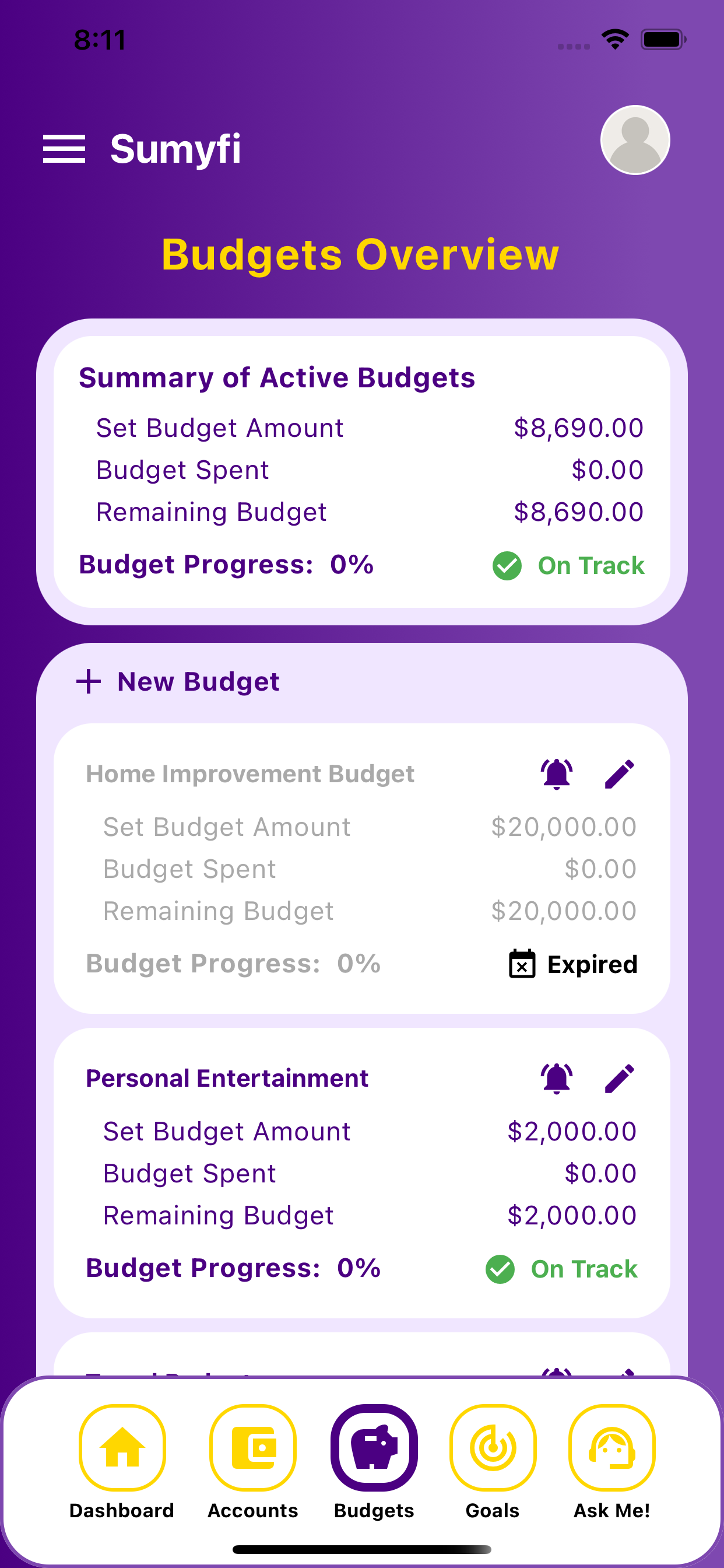
Adaptable Budgeting Frameworks: Whether you prefer a "zero-based" approach, an "envelope system," or simply tracking against flexible spending targets, Sumyfi accommodates your preferred method.
Income Forecasting Integration: While not a crystal ball, Sumyfi can help you project potential income based on historical data and current project pipeline, allowing you to build more realistic budgets.
"Buffer" & "Tax Savings" Goal Integration: Easily set up dedicated goals within Sumyfi to automatically allocate funds for your emergency buffer and estimated quarterly taxes. This "pay yourself first" mechanism is crucial for freelance financial stability.
Real-time Budget Performance: See at a glance how you're performing against your budget, allowing for quick adjustments when income or expenses deviate from expectations.
Tax-Optimized Expense Categorization: Sumyfi's categorization can be tailored to align with common tax deductions for self-employed individuals (e.g., home office, health insurance premiums, professional development, advertising, travel, supplies).
Effortless Report Generation: With a few clicks, generate comprehensive reports of all your business income and expenses, perfectly categorized and ready for your accountant or tax software. This saves countless hours and minimizes the risk of missed deductions.
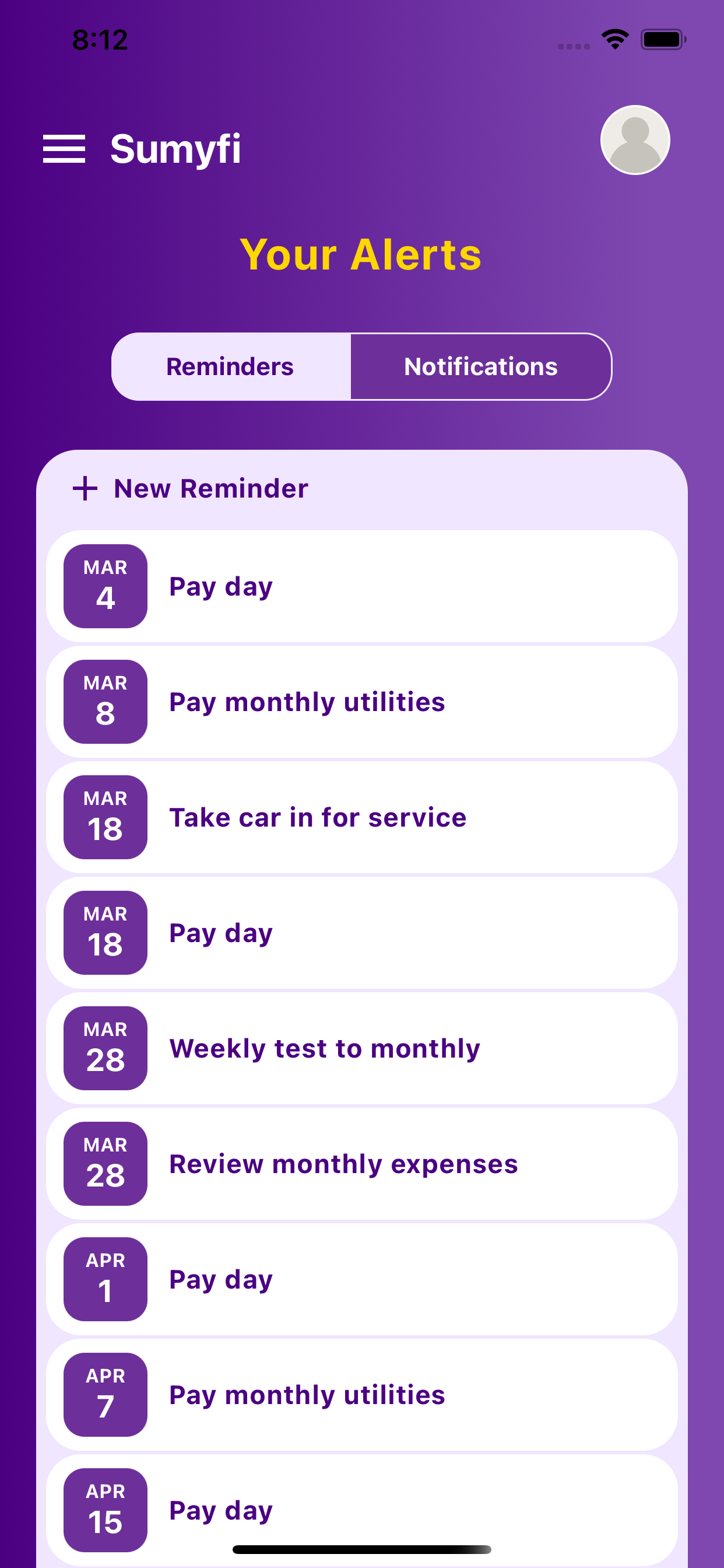
Estimated Tax Reminders: Set up reminders within Sumyfi to ensure you never miss a quarterly estimated tax payment deadline, helping you avoid penalties.
Enhanced Data Security: Your financial data is protected with bank-level 256-bit AES encryption, multi-factor authentication, and read-only access. Sumyfi never stores your banking credentials directly. Your peace of mind is paramount.
Intuitive Dashboards: Your personal finance dashboard provides a high-level overview of your income, spending, net worth, and budget performance.
Customizable Reporting: Dive deeper with custom reports. Want to see your income by client over the last quarter? Or your top 5 business expenses last year? Sumyfi makes it easy.
Trend Identification: Spot spending patterns, identify areas for cost reduction, and understand where your money is truly going - both personally and professionally.
Robust Encryption: All data is encrypted with industry-leading standards.
Time-Consuming: Manual data entry, categorization, and formula creation devour precious hours that could be spent on client work.
Error-Prone: Human error is inevitable, leading to inaccuracies in budgeting, tax calculations, and net worth tracking.
Lack of Automation: No automatic syncing, no intelligent categorization, no real-time updates.
Limited Insights: Difficult to generate dynamic reports or visualize trends effectively.
Generalist Approach: Primarily designed for W-2 employees with predictable income, their features often require significant workarounds for freelance complexities.
Less Robust Business Focus: While some offer custom categories, they typically lack the deep, tax-optimized categorization and reporting capabilities essential for self-employment.
Clunky Interfaces & Data Privacy Concerns: Some older platforms can feel outdated, suffer from slower syncing, or have raised user concerns regarding data usage and advertising.
Limited Cross-Border Support: Many focus primarily on the US market, leaving Canadian freelancers underserved.
Implementing Sumyfi for Freelance Financial Mastery: A Practical Guide
Adopting Sumyfi is more than just downloading an app; it's embracing a new, more efficient way to manage your freelance finances. Here's a practical guide to maximizing its potential and truly making it the best finance app for freelancers in your toolkit.
Getting Started: Quick Setup for Immediate Impact
Sumyfi is designed for rapid deployment, ensuring you spend less time configuring and more time managing.
- Best Practices for Freelancers Using Sumyfi
To truly leverage Sumyfi as the ultimate financial hub, integrate these practices into your routine:
By proactively engaging with Sumyfi and adopting these best practices, you transform it from a mere tool into an indispensable partner in your freelance journey. You gain not just financial clarity, but the confidence and peace of mind that come from knowing your money is intelligently managed, optimized, and working for you.
Connect All Your Accounts: This is the most crucial step. Securely link all your relevant financial institutions - personal checking, business savings, credit cards (personal and business), investment accounts, and any loan accounts. Sumyfi's broad connectivity across thousands of US and Canadian institutions makes this seamless.
Initial Data Sync: Sumyfi will begin importing your transaction history. This initial sync might take a few moments, but subsequent updates are near real-time.
Review and Refine Categories: Sumyfi's intelligent categorization will start working immediately. Take some time to review the initial categorizations, especially for business expenses. Create custom categories as needed (e.g., "Client Software Licenses," "Professional Association Dues," "Marketing & Advertising - Business").
Set Up Custom Rules: For recurring business expenses (e.g., your monthly website hosting, specific software subscriptions, co-working space fees), create custom rules to automatically assign them to the correct business category. This is a powerful feature for automating your accounting.
Daily or Weekly Transaction Review: Make it a habit to quickly review newly imported transactions. This allows you to:
Catch any miscategorizations promptly.
Flag personal vs. business expenses accurately.
Identify potential fraudulent activity early.
Attach notes or digital receipts if necessary (though Sumyfi's automation often makes this less critical).
Maintain Separate Accounts (But Unify in Sumyfi): While Sumyfi allows you to manage everything in one place, it's still highly recommended to maintain separate bank accounts for your personal and business finances. This creates a clean audit trail. Sumyfi then acts as the bridge, providing a unified view without commingling the actual funds.
Utilize Goal Setting for Financial Stability:
Emergency Fund: Set a goal to build a robust emergency fund (3-6 months of living expenses) to smooth out income volatility.
Tax Savings: Dedicate a specific goal for estimated quarterly taxes. Sumyfi can help you track how much you need to set aside.
Retirement & Investments: Track your progress toward long-term wealth accumulation.
Regularly Consult Your Net Worth: Your net worth isn't just a number; it's a barometer of your overall financial health. Check it monthly to understand your progress and make informed decisions about debt reduction or investment.
Leverage Reporting & Analytics
Monthly Income/Expense Reports
Generate these to understand your profitability, identify your biggest spending categories, and spot trends.
Client Profitability
If you track income by client, use reports to see which clients are most lucrative and which projects yield the best returns.
Tax Reports
At the end of each quarter or year, generate your categorized business expense reports for seamless tax filing.
Set Budgeting Alerts
Use Sumyfi's budgeting features to set alerts if you're approaching or exceeding your spending limits in certain categories, especially for discretionary personal spending or non-essential business costs.
Integrate with Your Workflow
Consider how Sumyfi fits into your existing freelance workflow. Perhaps you review transactions while waiting for a client meeting or generate reports at the end of your billing cycle.
Conclusion: Sumyfi - The Definitive Choice for Freelance Financial Empowerment
The journey of a freelancer is one of ambition, skill, and relentless dedication. Yet, the financial intricacies of self-employment can often overshadow the very freedom it promises. Manual spreadsheets are archaic, and generic finance apps simply aren't equipped to handle the dynamic, multi-faceted financial reality of an independent professional.
What you need is a solution engineered for your unique challenges - a financial command center that not only tracks your money but also empowers you to make smarter decisions, simplify tax preparation, and build lasting wealth.
Sumyfi stands as the undisputed best finance app for freelancers because it was built precisely for this purpose. Its agile engineering, lightning-fast setup, and slick dashboard interface are a testament to modern financial technology. With Sumyfi, you gain:
Sumyfi is more than just an app; it's your strategic partner in navigating the complexities of freelance finance, allowing you to reclaim your time, reduce your stress, and focus on what you do best: your craft. It's time to move beyond the limitations of the past and embrace a future where your finances are clear, controlled, and optimized for your success.
[Unlock Your Financial Potential with Sumyfi - Start Your Free Account Today!](https://www.sumyfi.com/signup)
Holistic Financial Clarity
A single, unified view of your net worth, encompassing both personal and business assets and liabilities.
Dynamic Budgeting
Adaptable tools that thrive on irregular income, helping you build financial buffers and save for taxes with ease.
Effortless Tax Preparation
Streamlined reporting and categorization that transform tax season from a dreaded chore into a manageable task.
Robust Security
Bank-level encryption and read-only access ensure your sensitive financial data is always protected.
Seamless Connectivity
Access thousands of financial institutions across the US and Canada, ensuring every aspect of your financial life is accounted for.