Use one clear workflow for student budgets simple around tuition, rent, groceries, and irregular income with practical comparisons, concrete product details, and fewer disconnected money tools.
Juggling tuition, textbook costs, rent, groceries, and student loans-frequently on a limited income from part-time jobs or grants-demands a careful, organized approach. Unlike traditional professional careers with steady bi-weekly salaries, student income often arrives in large, irregular lump sums at the beginning of each semester [1.3.1]. This dynamic makes it incredibly easy to overspend early in the term, leading to unexpected cash crunches when exams arrive. This is precisely why finding the best budgeting app for students is essential for building financial stability and starting your professional life on the right foot [1.3.1, 1.3.6].
For too long, student personal finance has relied on manual tracking or expensive premium applications that do not fit a student's budget [1.3.4]. The modern academic life demands an automated, intuitive platform that tracks spending, manages subscriptions, monitors credit card balances, and provides real-time guidance. This article explores the unique challenges of student budgeting, details the essential features of a high-performance personal finance app, and demonstrates how Sumyfi serves as the ultimate modern solution for college and university students.
The Undeniable Imperative: Why Students Need a Dedicated Budgeting App
Managing a budget during college or university is distinct from managing a steady professional salary. Students must navigate several unique financial dynamics:
To overcome these challenges, students need an automated personal finance tool that provides absolute clarity on their balances, upcoming bills, and daily spending limits.
Managing Lump-Sum Income
Receiving student loans, scholarships, or grants at the beginning of a term creates a temporary illusion of wealth [1.3.1]. Without a clear system to pace your spending over several months, it is easy to deplete these funds too quickly.
Developing Credit Habits Safely
Many students use credit cards to build their credit scores [1.3.6]. However, without real-time tracking, it is easy to run up balances you cannot afford to pay off, leading to expensive high-interest debt and credit score damage early in life.
The Subscription Trap
From streaming services and academic software to gym memberships and delivery apps, recurring subscriptions can quietly drain a student's budget.
Thin Financial Margins
With limited discretionary income, students have very little room for error [1.3.6]. A single unexpected cost or a late fee from a missed bill can have a significant impact on your monthly budget.
The High Cost of Traditional Apps
Paying a high monthly or annual fee for a budgeting app is impractical for students who are actively trying to cut back on expenses [1.3.4].
Deconstructing Excellence: What Defines the Best Budgeting App for Students?
To help you manage college life and build strong money habits, a student budgeting app should focus on several essential features:
Reliable, Real-Time Bank Syncing
The app should connect securely with your checking accounts, savings accounts, and student credit cards, keeping your balances and transaction feeds up-to-date automatically [1.3.6].
Live Expense Tracking and Categorization
To save you time, the app should automatically sort your purchases into clear, intuitive categories (such as textbooks, groceries, rent, and entertainment) so you always know where your money is going.
Interactive, Easy-to-Understand Dashboard
The user interface should be clean, modern, and optimized for mobile access, making it easy to check your finances quickly between classes or while studying.
Comprehensive Net Worth Tracking
An effective app should help you visualize your entire financial picture-including your student loans, personal savings, and active checking balances-on a single, real-time dashboard.
Bank-Grade Security and Privacy First
The app must prioritize your privacy, using advanced encryption standards and read-only access to protect your financial data without selling your personal information [2].
The Evolution of Student Budgeting: From Ledger Notebooks to AI-Powered Hubs
Student personal finance tools have evolved significantly to meet the demands of modern digital banking:
The Physical Ledger Era (Pre-1990s)
Historically, students tracked expenses in physical notebooks or binders. While simple, these manual methods required high discipline and offered no real-time updates or automatic analysis.
Legacy Finance Apps (2010s)
Early personal finance applications introduced basic bank syncing but focused on standard, bi-weekly payroll schedules, making them rigid and poorly suited for student loan and grant cycles [1.3.1].
Secure Open Finance (Sumyfi)
Today, advanced platforms like Sumyfi use real-time multi-bank syncing and AI-driven insights to adapt to your unique cash flow [1.2.5], providing active support to help you manage your money through the academic year.
Sumyfi: The Ultimate Financial Hub for Modern Students
Sumyfi is built to simplify personal finance and reduce the stress of student life. By automating the tracking process and providing clear, actionable insights, Sumyfi helps you manage your money and build long-term wealth with ease.
Direct Syncing Across 12,000+ US and Canadian Banks
Sumyfi securely connects with over 12,000 financial institutions, including major Canadian banks (RBC, TD, BMO, CIBC, Scotiabank), credit unions, and digital platforms like Tangerine and Wealthsimple. This keeps your student credit cards, checking, and savings accounts updated automatically in a single view [1.3.6].
Live Dashboard Clarity
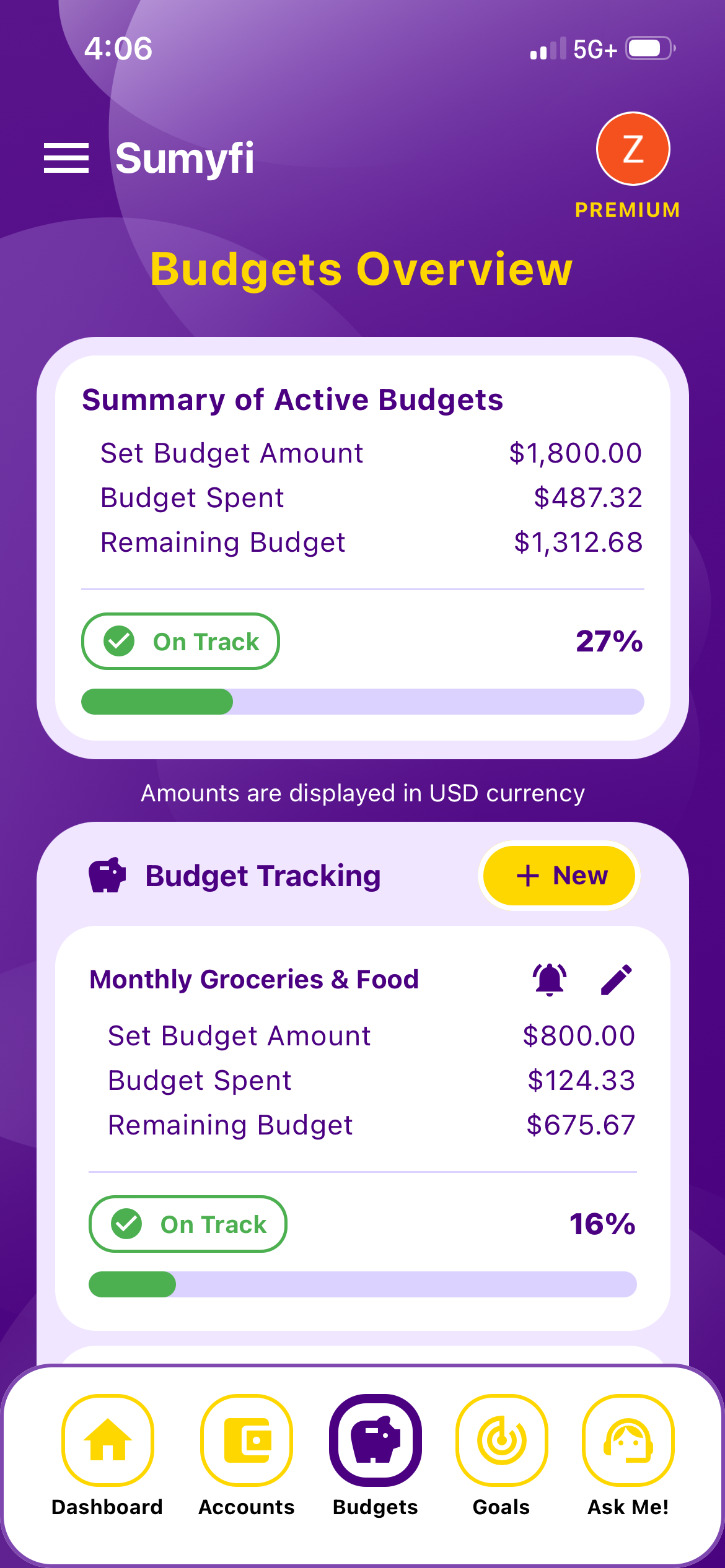
Sumyfi's modern dashboard displays your financial health at a glance. You can easily view your current balances, track spending trends, monitor recurring bills, and visualize your net worth in real-time, helping you make smart financial decisions on the go.
Proactive Subscription and Bill Alerts
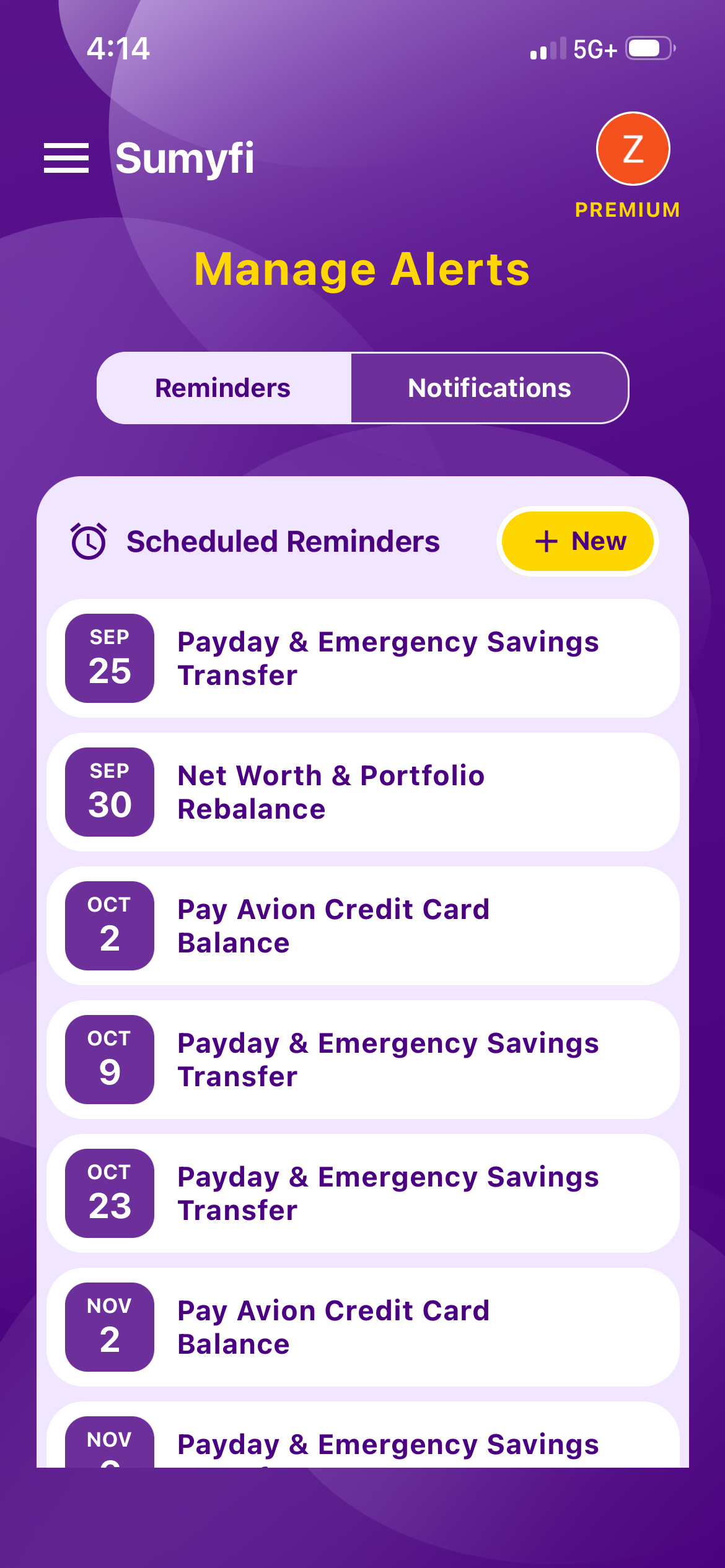
Sumyfi automatically scans your accounts to identify recurring bills, student subscriptions, and utility payments. It alerts you before these payments are debited, helping you manage your account balances and avoid costly overdraft fees.
Interactive AI Personal Finance Coach
Juggling classes, study sessions, and part-time jobs doesn't leave much time for complex financial analysis. Sumyfi's built-in AI assistant acts as your personal financial coach [1.2.5]. You can ask direct questions like: "How much can I spend on groceries this week while still covering my rent on the 1st?" or "What is my average monthly spending on dining out?" and receive immediate, clear answers.
Bank-Grade Security and Privacy First
Your security is our top priority. Sumyfi uses 256-bit AES encryption to secure your financial data [2]. With strictly read-only access, Sumyfi cannot move money or initiate transactions, and we never sell your personal financial information to third-party advertisers.
Sumyfi vs. The Landscape: Why Automated Hubs Outperform Legacy Options
See how Sumyfi compares to traditional budgeting methods for college and university students:
Legacy Finance Software
Sumyfi (Modern Personal Finance Hub)
High effort (requires formulas)
Low effort (quick bank syncing)
Manual entry required
Clunky categorization
Fully automated categorization
Safe-to-Spend Balance
Live, automated calculation
Subscription Tracking
Automated discovery & alerts
Real-time, data-driven AI assistant