Free Trial Field Notes6 min read

    Budgeting App Free Trial: What To Check Before You Pay (2026)

    Most budgeting apps look helpful for the first ten minutes. A budgeting app free trial is where you find out whether it is still helpful once the setup is over and your actual spending shows up.

    A lot of budgeting apps do well on day one. They look organized. They make you feel like this might finally be the month you get everything under control. Then two or three normal days pass and the important question shows up: does the app still help once the transactions are real, the bills are uneven, and your attention span is not at its best?

    That is what the free trial is for. Not admiration. Not optimism. Just a fair test. You want to know whether the app helps you see what changed, what is getting tight, and what needs your attention next without making the whole thing feel like extra homework.

    If the app already feels tiring during the free trial, that matters. A paid budget tool should make money easier to stay on top of. It should not become one more thing you feel bad about avoiding.

    Use the trial to simulate a normal week. Open it when you are busy, mildly distracted, and slightly annoyed. If the app still helps in that state, it is doing real work.

    Trial reality

    A budgeting app free trial is only useful if it helps you judge the weekly experience, not just the setup flow.

    During the trial, focus on whether the app helps you understand pressure quickly

    The most useful test is not whether you can build a budget. Most apps can get you through setup. The better test is whether the app helps you notice trouble early. Can you spot the category that is running hot? Can you see the bills that are about to squeeze the next week? Can you tell what changed without going on a little treasure hunt through the app?

    A strong budgeting app also makes review feel repeatable. You should be able to open it, understand the week, and close it again without feeling like you need to clean up the data for twenty minutes first. That small detail decides a lot. People usually stop using money apps because the routine starts feeling too heavy.

    It also matters whether the app helps with the next move. Good budgeting tools do not just show the mess. They help you respond to it. Even something as simple as realizing you need to slow down in one category before Friday is useful.

    • Can you scan the week and know what changed within a minute or two?
    • Do recurring costs stay visible instead of blending into ordinary transactions?
    • Does the app help you make the next decision, not just review the last one?

    The right trial usually leaves you feeling more oriented, not more impressed

    The best budgeting app usually does not leave you wowed. It leaves you steadier. You close it and feel like the month makes more sense than it did ten minutes ago. That is the feeling you want to pay attention to.

    If the app mostly feels polished but does not actually make your money clearer, that is a warning sign. Looking good is not the same thing as being useful. A free trial is your chance to notice that before the monthly charge starts slipping by unnoticed.

    By the end of the trial, you do not need to love every feature. You just need a clear answer to one question: would this make regular money check-ins easier for me? If the answer is no, move on.

    Continue with the 7-day trial overview, browse the Budgeting Hub after you decide whether this budgeting app free trial angle fits the routine you care about.


    3-step workflow

    How to run a weekly budgeting workflow

    The important question is whether the budget still feels usable during ordinary, messy weeks.

    1

    Connect accounts with read-only access

    Start by bringing in the accounts and balances that matter most while keeping the first review around trying a budgeting app free trial before paying for a budgeting app long term light enough to test quickly during the first setup pass.

    2

    Establish category budgets and buffer targets

    Build budgeting app free trial category targets and a small buffer around the obligations already shaping the month that match the month you are actually living through right now.

    3

    Perform 5-minute weekly check-ins

    Keep trying a budgeting app free trial before paying for a budgeting app long term visible through quick recurring reviews before overspending or missed reminders harden into end-of-month problems without a full spreadsheet reset.

    Free plan

    What's included in the free plan

    This section explains the free setup before pricing takes over so trying a budgeting app free trial before paying for a budgeting app long term can be judged before premium details become the tie-breaker before upgrade comparisons begin.

    • Create an account without entering a credit card.
    • Keep balances, transactions, budgets, and recurring activity tied to trying a budgeting app free trial before paying for a budgeting app long term from one web dashboard.
    • Layer in supported account connections later once the dashboard has earned a broader role during the next setup step.
    • Check the pricing page when you are ready for paid depth for live upgrade terms after trying a budgeting app free trial before paying for a budgeting app long term has been judged in practice for this decision.

    Product screenshots

    See the product behind the copy

    Screenshots shown: Budgets, Accounts.

    Budgeting screen in Sumyfi

    Budgets shows spending by category alongside the amounts assigned to each category.

    Dashboard showing budgets and balances

    Accounts keeps connected and manual accounts in one place for budget review.

    Goals tracking in Sumyfi

    Budgets shows spending by category alongside the amounts assigned to each category.

    Mobile view

    The same workflow stays usable during faster phone check-ins

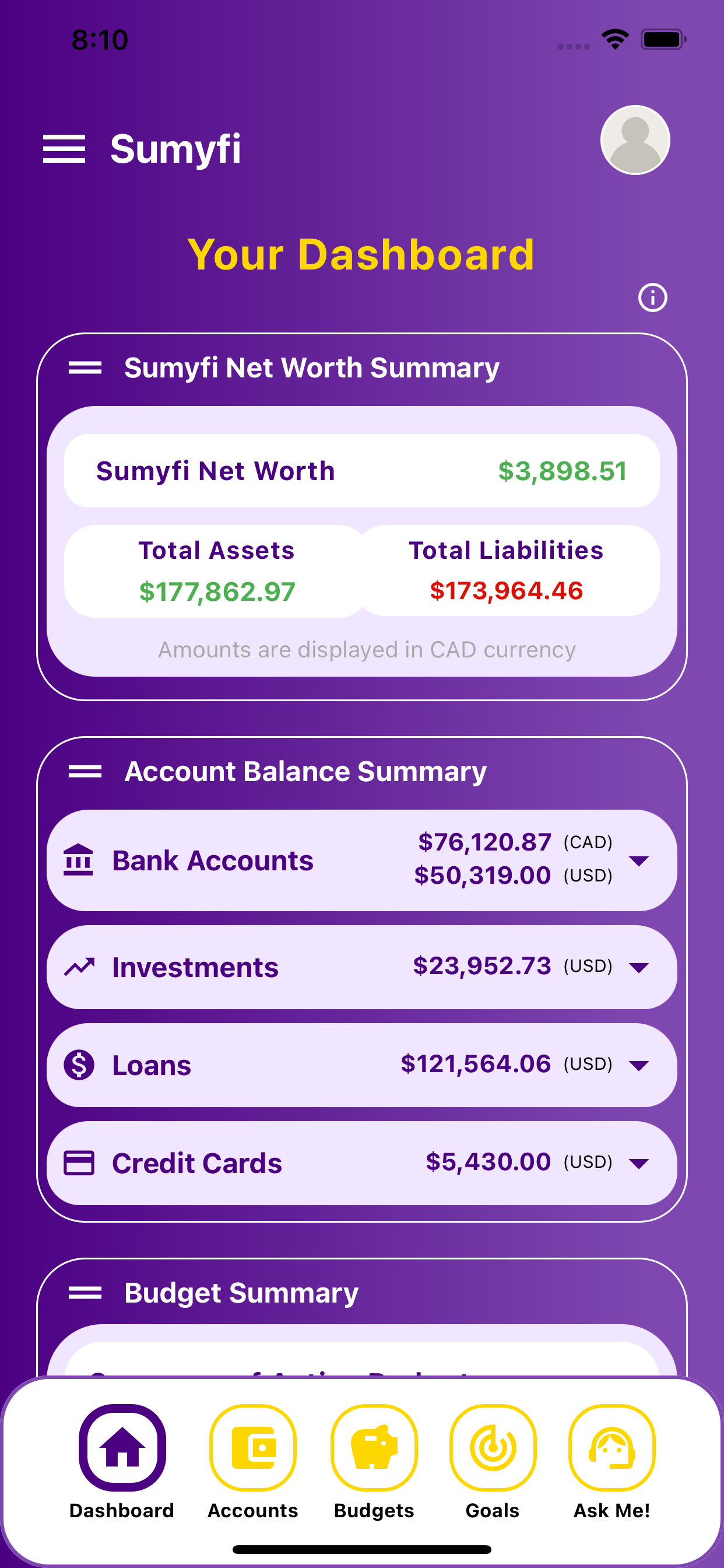
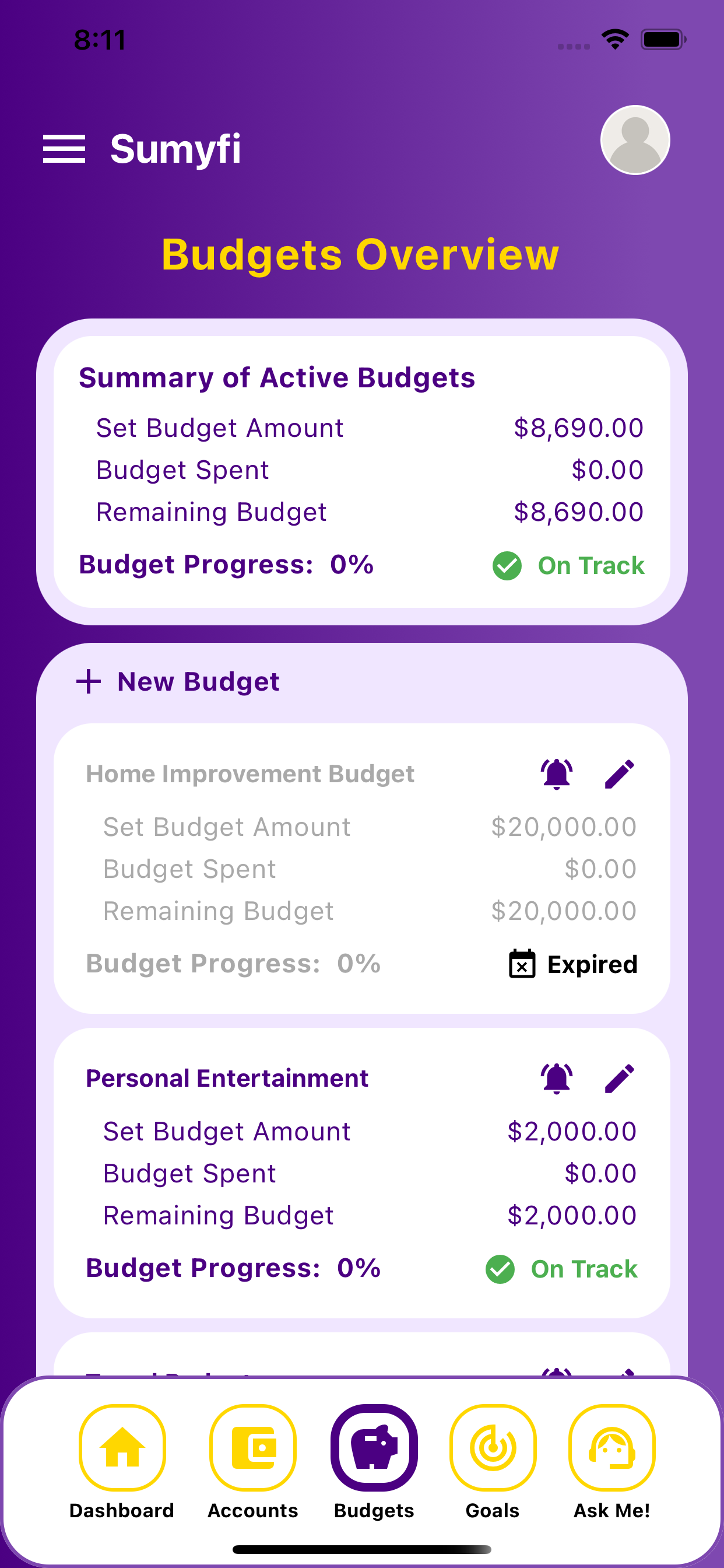
    These iPhone screenshots help show that the desktop workflow for budgeting app free trial carries into a lighter mobile review without splitting into a separate product experience.

    Budgeting App Free Trial mobile dashboard overview

    Mobile overview

    Review the wider dashboard from your phone without losing the thread of the main workflow.

    Budgeting App Free Trial mobile categories and goals

    Short check-in

    Keep categories, balances, and next-step planning visible during shorter mobile check-ins.

    Comparison table

    How budgeting app free trial compares in real use

    The useful comparison is whether the dashboard still helps when the month gets slightly messy.

    Decision areaSumyfiOther tools
    Starting pointFree account with manual or linked trackingOften narrower setup or heavier manual work
    Weekly reviewBalances, categories, and recurring costs stay connectedThe full context is easier to lose across tools
    Habit supportOne dashboard for review and actionMore interpretation is left to the user