Free Trial Field Notes6 min read

    Budgeting App Free Trial for Beginners: What Actually Matters (2026)

    If you are new to budgeting, a free trial should make money feel less confusing within a few days. If it makes you feel more lost, it is the wrong app.

    Beginners often think the best app will be the one with the most features. Usually it is not. If you are just starting, you do not need the most advanced money system on earth. You need something that helps you understand what is going on without making you feel overwhelmed.

    That is why the trial matters so much for beginners. It gives you a short window to see whether the app helps you spot where the month is getting tight, what bills matter next, and whether your spending is drifting in a way you can actually understand.

    A lot of apps fail this quietly. They look smart, but they do not make the user feel calmer. They make the money picture look cleaner while still feeling hard to read. That is not beginner-friendly, even if the landing page says it is.

    A good beginner app should feel like a relief, not a test.

    The right trial does not try to turn you into an expert in seven days. It simply proves that a weekly money check-in can start feeling manageable.

    Beginner reality check

    If you are new to budgeting, the trial should make money feel more understandable within a week, not more technical.

    Use the trial to test whether the app answers ordinary questions without creating extra homework

    The best beginner test is pretty boring, and that is why it works. Open the app after a normal week and ask a few simple questions. What did I spend more on than I thought? What bills are still coming? Am I okay for the next few days? If the app helps you answer those quickly, that matters.

    Early budgeting success is usually about reducing friction, not becoming a perfect planner overnight. If the app makes the basic review feel too heavy, you probably will not keep showing up for it.

    It is also worth noticing how you feel after closing the app. Clearer? Calmer? Or a little more behind? That reaction tells you a lot.

    You do not need to understand every feature by the end of the trial. You just need the basics to start making more sense.

    • Can you tell what changed this week without digging around?
    • Do recurring bills and categories make sense quickly enough to trust?
    • Do you leave the app feeling calmer rather than scolded or confused?

    The right budgeting trial usually feels less like productivity and more like relief

    This is where a lot of first-time budgeters get tricked. They think the right app will make them feel ambitious. Maybe it will, for a day. But the better sign is relief. The month feels less foggy. The bills feel less sneaky. The categories are not perfect, but they are usable.

    A strong beginner app also works when you are busy or tired. That matters more than whether it feels impressive during a perfect setup session.

    By the end of the trial, ask one plain question: did this make everyday money easier to understand? If yes, keep going. If not, move on.

    Continue with the 7-day trial overview, browse the Budgeting Hub after you decide whether this budgeting app free trial for beginners angle fits the routine you care about.


    3-step workflow

    How the budgeting routine works in practice

    The strongest budgeting pages show the setup and weekly review path directly instead of narrating what matters here.

    1

    Connect accounts with read-only access

    Start by bringing in the accounts and balances that matter most while keeping the first review around trying a budgeting app free trial as a beginner before paying for a tool that may or may not make money easier to understand light enough to test quickly during the first setup pass.

    2

    Establish category budgets and buffer targets

    Use budgeting app free trial for beginners categories, bills, and goal context to set guardrails while everyday spending still has room to move before the pressure points compound.

    3

    Perform 5-minute weekly check-ins

    Use a short weekly check-in to review category pressure, bills, and goal movement before overspending or missed reminders harden into end-of-month problems without a full spreadsheet reset.

    Free plan

    What's included in the free plan

    Use the free path as the first proof point for trying a budgeting app free trial as a beginner before paying for a tool that may or may not make money easier to understand before pricing is used to break a workflow tie.

    • Start without payment details so the workflow can be tested before any plan decision is required.
    • Review balances, budgets, goals, and recurring obligations from one dashboard instead of spreading them across separate tools for this workflow.
    • Use manual tracking first, then connect eligible institutions later if you want broader automation.
    • The budgeting app free trial for beginners pricing page holds the latest plan terms so stale pricing copy does not creep into this landing page for this route.

    Product screenshots

    See the product behind the copy

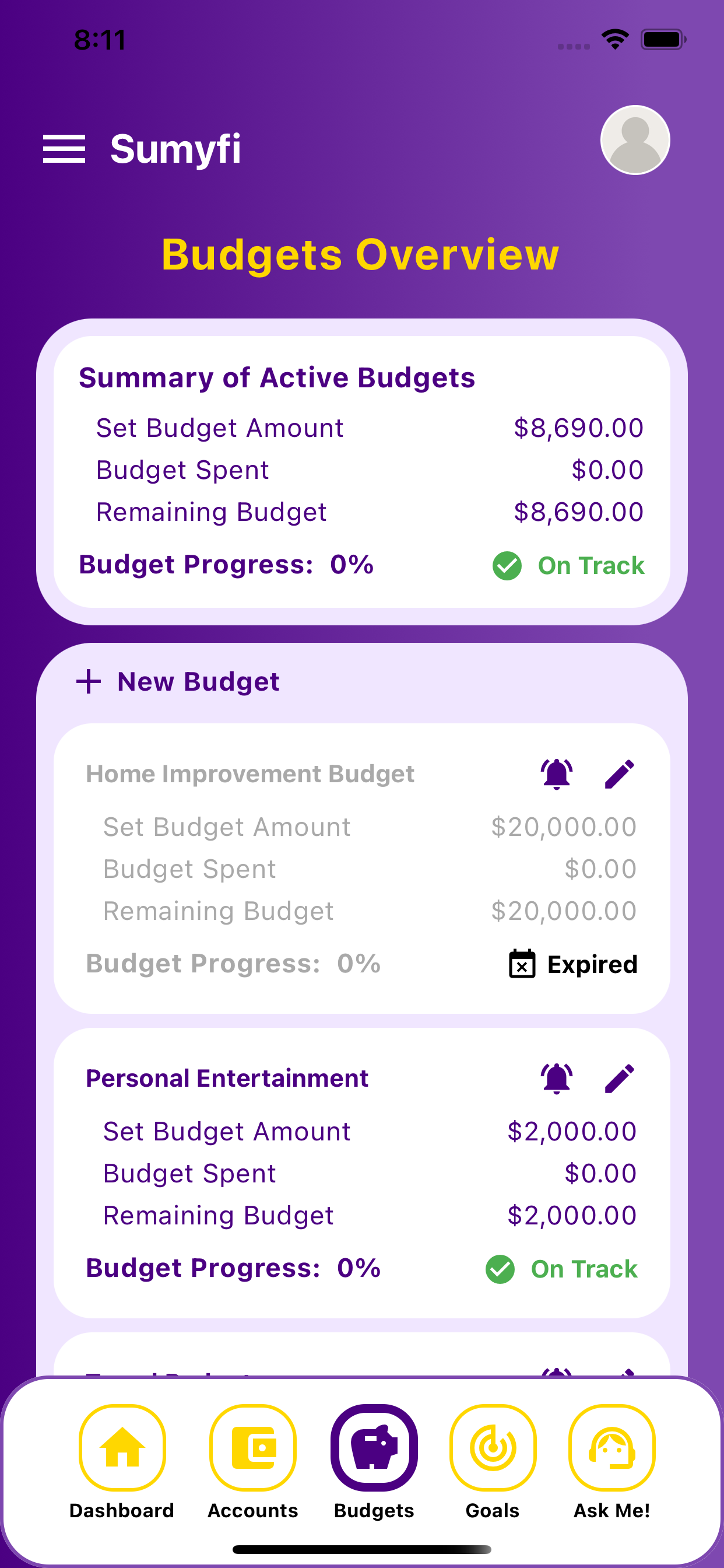
    Screenshots shown: Budgets, Accounts.

    Budgeting screen in Sumyfi

    Budgets shows spending by category alongside the amounts assigned to each category.

    Dashboard showing budgets and balances

    Accounts keeps connected and manual accounts in one place for budget review.

    Goals tracking in Sumyfi

    Budgets shows spending by category alongside the amounts assigned to each category.

    Mobile view

    The same workflow stays usable during faster phone check-ins

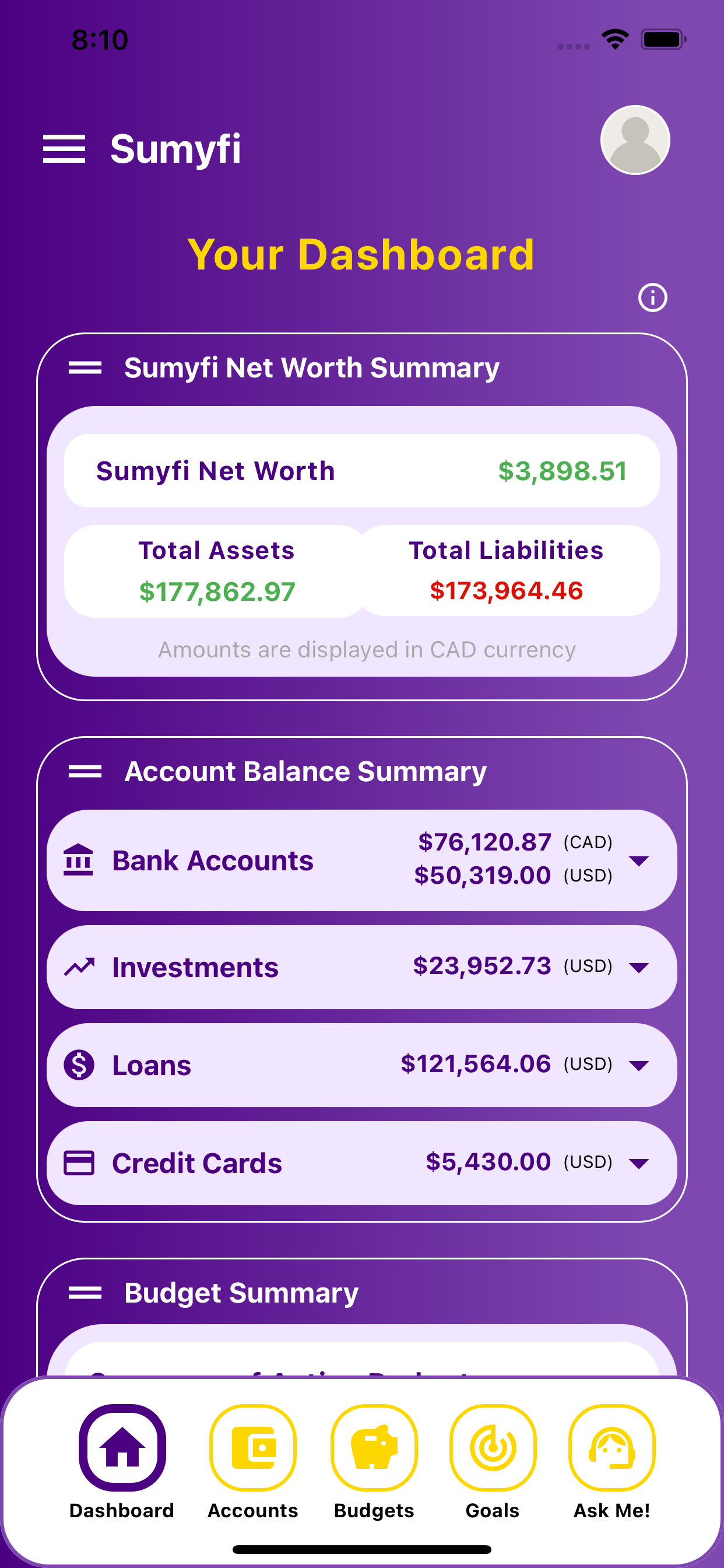
    These iPhone screenshots help show that the desktop workflow for budgeting app free trial for beginners carries into a lighter mobile review without splitting into a separate product experience.

    Budgeting App Free Trial for Beginners mobile dashboard overview

    Mobile overview

    Review the wider dashboard from your phone without losing the thread of the main workflow.

    Budgeting App Free Trial for Beginners mobile categories and goals

    Short check-in

    Keep categories, balances, and next-step planning visible during shorter mobile check-ins.

    Comparison table

    How budgeting app free trial for beginners compares in real use

    Use direct criteria instead of repeated comparison filler.

    Decision areaSumyfiOther tools
    Starting pointFree account with manual or linked trackingOften narrower setup or heavier manual work
    Weekly reviewBalances, categories, and recurring costs stay connectedThe full context is easier to lose across tools
    Habit supportOne dashboard for review and actionMore interpretation is left to the user