Free Trial Field Notes6 min read

    Budgeting App With Bank Sync Free Trial: What To Test First (2026)

    The first sync is not the hard part. A budgeting app with bank sync free trial is where you find out whether the app stays clear once real transactions start rolling in.

    People usually look for a budgeting app with bank sync free trial because they are tired of doing too much by hand. They do not want to type everything in. They do not want to wonder if they missed something. They want the app to do more of the heavy lifting.

    That is why this kind of trial is easy to judge once the first import is done. If the app still leaves you sorting messy categories, fixing duplicates, and trying to guess what happened, then bank sync is not really saving you much.

    The better version is much simpler. The transactions come in. The picture stays readable. You can tell what the week looks like without doing cleanup work first. That is when bank sync starts feeling useful instead of making the whole setup harder to follow.

    During the trial, do not stop at the first import. Come back after a few days and see whether the synced view still feels trustworthy when new transactions land.

    Connected budget reality

    Bank sync is only valuable if it reduces cleanup instead of creating a prettier version of the same manual job.

    The best trial questions all revolve around maintenance

    A synced budgeting app should cut down the small weekly chores that make budgeting annoying. So during the trial, pay attention to the boring stuff. How often do you need to recategorize things? Do transfers get messy? Can you tell what is a recurring bill and what is just a random purchase without stopping to think too hard?

    Those details decide whether the app becomes part of your routine or whether you quietly give up on it. People do not usually cancel because an app looks bad. They cancel because it still creates work.

    It also helps to wait until the first clean import is over. That part is easy. The real test is what happens after refunds, odd merchant names, duplicate charges, and transfers start showing up.

    • Do imported transactions land in ways you can trust quickly?
    • Are recurring charges easy to separate from ordinary spending?
    • Does the synced dashboard reduce weekly effort or just rearrange it?

    A good synced trial leaves you with less friction and fewer mysteries

    The best outcome is not excitement. It is relief. You open the app and the numbers mostly make sense. The few things that need attention are obvious. You are not left wondering what happened or where to start.

    If the trial gives you that feeling more than once, that is a strong sign. If it mostly gives you more admin work with nicer packaging, the trial has already done you a favor by showing that early.

    Bank sync should feel like less work. That is really the whole standard here.

    Continue with the 7-day trial overview, browse the Budgeting Hub after you decide whether this budgeting app with bank sync free trial angle fits the routine you care about.


    3-step workflow

    How to run a weekly budgeting workflow

    The important question is whether the budget still feels usable during ordinary, messy weeks.

    1

    Connect accounts with read-only access

    Open the dashboard first, then choose between a manual setup and secure read-only account linking so trying a budgeting app with bank sync free trial to see whether live transactions save time and make budgeting easier begins with current data instead of assumptions on day one.

    2

    Establish category budgets and buffer targets

    Use budgeting app with bank sync free trial categories, bills, and goal context to set guardrails that match the month you are actually living through right now.

    3

    Perform 5-minute weekly check-ins

    Review category drift, upcoming bills, and savings progress from one dashboard while the next budget adjustment is still easy to make from the same current picture.

    Free plan

    What's included in the free plan

    The free starting point should be clear before anyone decides whether trying a budgeting app with bank sync free trial to see whether live transactions save time and make budgeting easier deserves an upgrade on This guide.

    • Open the free dashboard first and decide later whether premium depth is actually needed.
    • Track balances, transactions, budgets, goals, and recurring bills from the same web dashboard.
    • Begin with manual tracking if you want to prove trying a budgeting app with bank sync free trial to see whether live transactions save time and make budgeting easier before linking institutions on This guide.
    • Let the workflow prove itself before pricing takes over once the review loop has earned a closer upgrade look before choosing a plan.

    Product screenshots

    See the product behind the copy

    Screenshots shown: Budgets, Accounts.

    Budgeting screen in Sumyfi

    Budgets shows spending by category alongside the amounts assigned to each category.

    Dashboard showing budgets and balances

    Accounts keeps connected and manual accounts in one place for budget review.

    Goals tracking in Sumyfi

    Budgets shows spending by category alongside the amounts assigned to each category.

    Mobile view

    The same workflow stays usable during faster phone check-ins

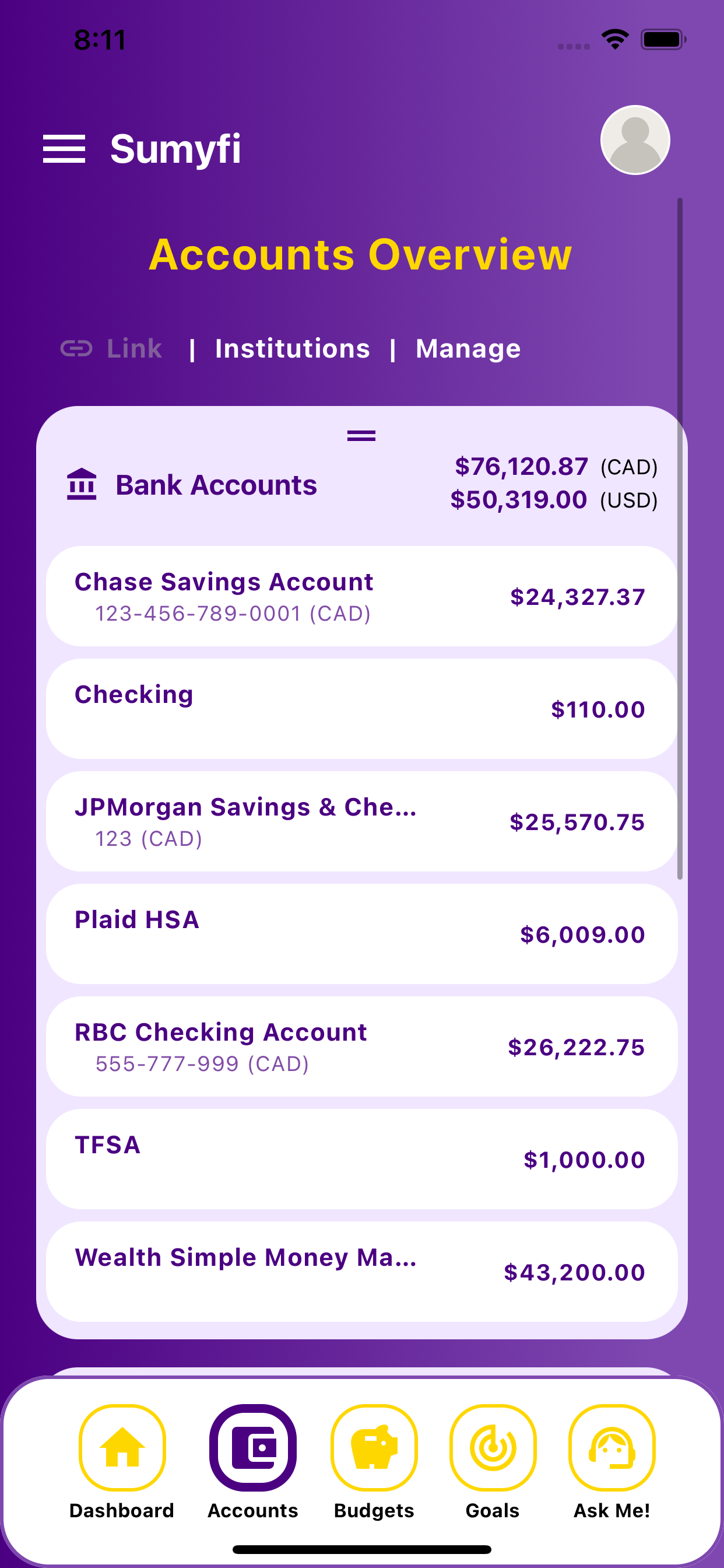
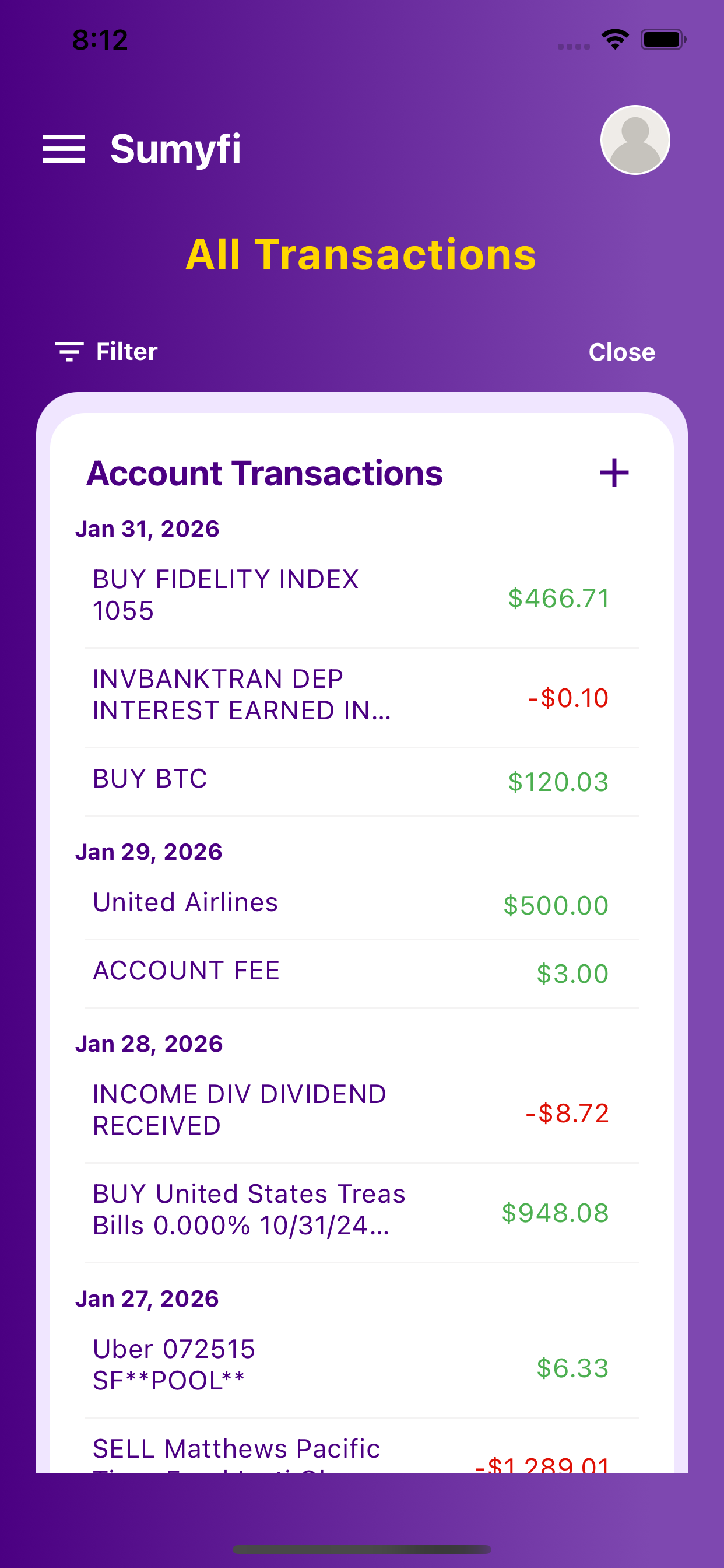
    These iPhone screenshots help show that the desktop workflow for budgeting app with bank sync free trial carries into a lighter mobile review without splitting into a separate product experience.

    Budgeting App With Bank Sync Free Trial mobile linked account balances

    Linked balances

    Monitor balances across linked banks, credit cards, and loans on mobile.

    Budgeting App With Bank Sync Free Trial mobile cash flow and transactions

    Transaction review

    Categorize transactions and review real-time cash flow on the go.

    Comparison table

    How budgeting app with bank sync free trial compares in real use

    Compare the options on whether trying a budgeting app with bank sync free trial to see whether live transactions save time and make budgeting easier stays easier to review after setup week.

    Decision areaSumyfiOther tools
    Starting pointFree account with manual or linked trackingOften narrower setup or heavier manual work
    Weekly reviewBalances, categories, and recurring costs stay connectedThe full context is easier to lose across tools
    Habit supportOne dashboard for review and actionMore interpretation is left to the user