Most finance apps show you twenty things at once. A beginner needs about four. Here's what to set up in your first hour, what you can safely leave for later, and how to tell whether an app is more than you need right now.
Open a typical finance app for the first time and you'll see a net worth chart, a credit score, an investment performance graph, thirty spending categories and a stream of notifications. For someone who's never tracked money before, that's not helpful. It's noise. A good finance app for beginners does less on day one, not more, and lets you add the rest when you're ready for it.
This guide covers the four things a beginner actually needs from a finance app, what you can ignore for the first few months, the handful of terms worth learning, a setup plan for your first hour, and how to tell whether an app is too much. Sumyfi is mentioned near the end as one option, along with what it doesn't do.
The four things a beginner actually needs
If a finance app answers these four questions clearly, it's doing its job. Everything else is extra.
Notice that none of these require a budget with twenty lines. Many beginners start by building an elaborate budget, find it doesn't match reality by the second week, and give up. Seeing what's real comes first. Planning comes after you have a month or two of data.
Where your money is
every account and card balance on one screen, so you stop logging in to three bank apps
What's coming out soon
rent, phone, insurance and subscriptions due before your next payday
Where it went last month
a rough breakdown by category, accurate enough to spot the one that surprised you
One goal
a single thing you're saving for, with a target amount and a date
What you can safely ignore for now
Finance apps compete on features, so they show you all of them. That doesn't mean you need them. Here's what most beginners can switch off or skip for the first three months without missing anything important:
None of these are bad. They just answer questions you aren't asking yet. Once you've got a few months of steady tracking behind you, net worth in particular becomes a useful number to check once a month.
Investment charts
daily market movement tells a beginner nothing useful and invites bad decisions
Credit score gamification
your score changes slowly and mostly depends on paying on time
Dozens of categories
ten or twelve is plenty to start, and you can split them later
Daily notifications
they train you to ignore the app, so keep only bill reminders
Long-range forecasts
projecting ten years ahead needs months of real data first
Crypto and side accounts
track them later, once your everyday money is under control
Five terms worth knowing, and that's it
Personal finance has a lot of vocabulary, and apps use most of it without explaining. You can get a long way on these five:
Cash flow
money in minus money out over a month, the single most useful number to watch
Fixed and variable costs
rent stays the same each month, groceries and going out don't
Sinking fund
money set aside monthly for a cost you know is coming, like car insurance or holidays
Statement balance
what you owe on a credit card for the last cycle, the amount to pay to avoid interest
Net worth
everything you own minus everything you owe, and it's fine if it's negative at first
Setting up a finance app in your first hour
Don't try to do everything in the first session. This order gets you to something useful quickly:
- Add your main chequing account first. That's where your pay lands and most bills come out.
- Add the credit card you use most. Between those two accounts, you'll see most of your spending.
- Look back over the last 30 days. Fix categories that are obviously wrong, like a grocery store tagged as restaurants, and leave the rest.
- Make a list of recurring bills and subscriptions, either from what the app detects or from memory. Note the dates.
- Set one budget, for the category that surprised you most. Just one.
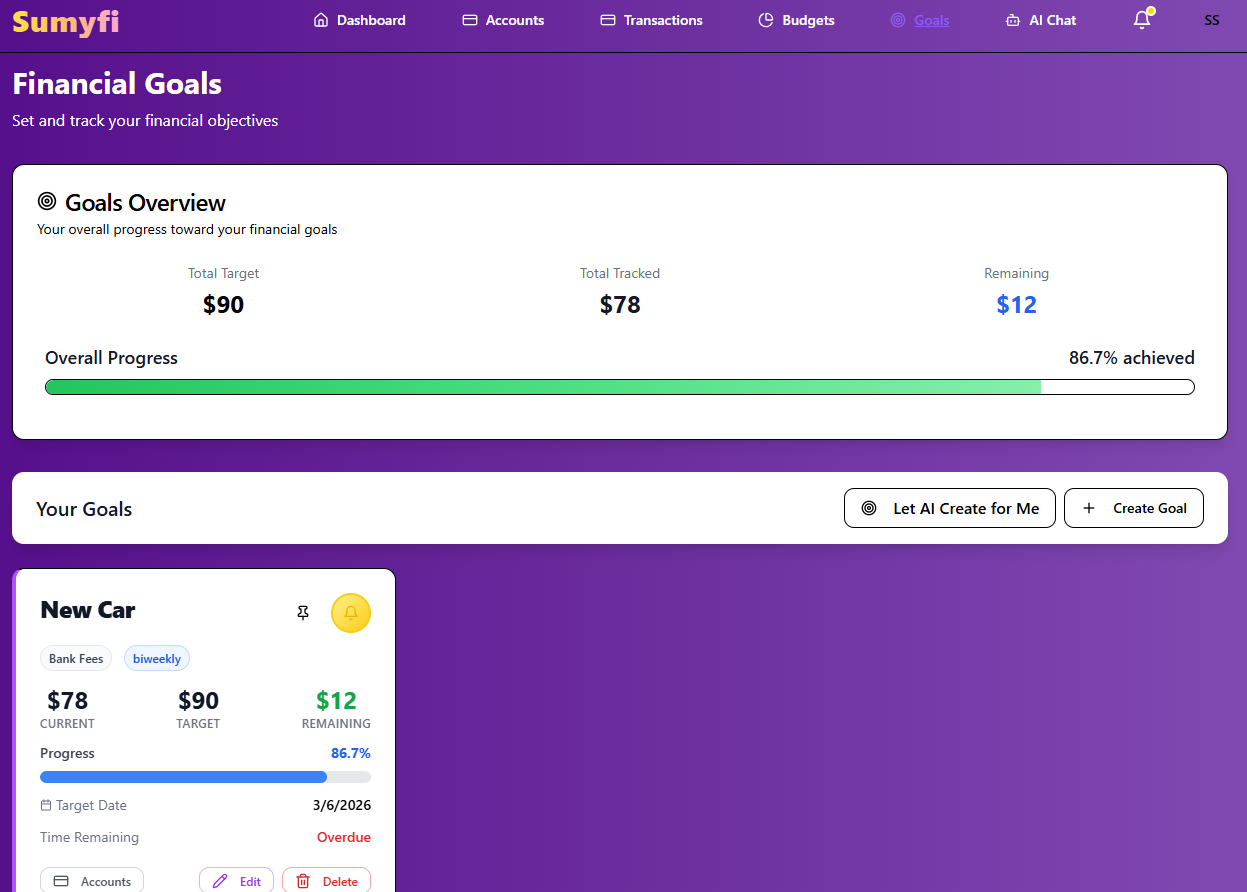
- Create one goal with a real target, like $1,000 for an emergency cushion by the end of March.
Then stop. Come back in a week, see how the numbers moved, and add the next account or budget if you want to. Linking your bank saves time and catches everything, but entering a month of transactions by hand is a good way to learn where money goes. Either approach works for a beginner.
How to tell if a finance app for beginners is too much
Here's a quick test. After setup, open the app and try to answer 'how much can I spend between now and payday without touching savings?' If you can answer that within 30 seconds, the app is a good fit. If you're scrolling through tabs and charts to piece it together, it's built for someone further along.
A few other things to check before committing. Is there a free tier or a trial long enough to see a full month? Does it connect to your bank, and does it say plainly that the connection is read-only? Can you leave easily, and export your data if you do? And if you're one of the many people who used Mint before it shut down in 2024, check whether the app imports a CSV file, because that's often the easiest way to bring old history with you.
Simpler options are fine too. If all your money is at one bank, that bank's app may show enough. A spreadsheet works if you like spreadsheets. The point is to start, not to find the perfect tool.
Sumyfi as a first finance app
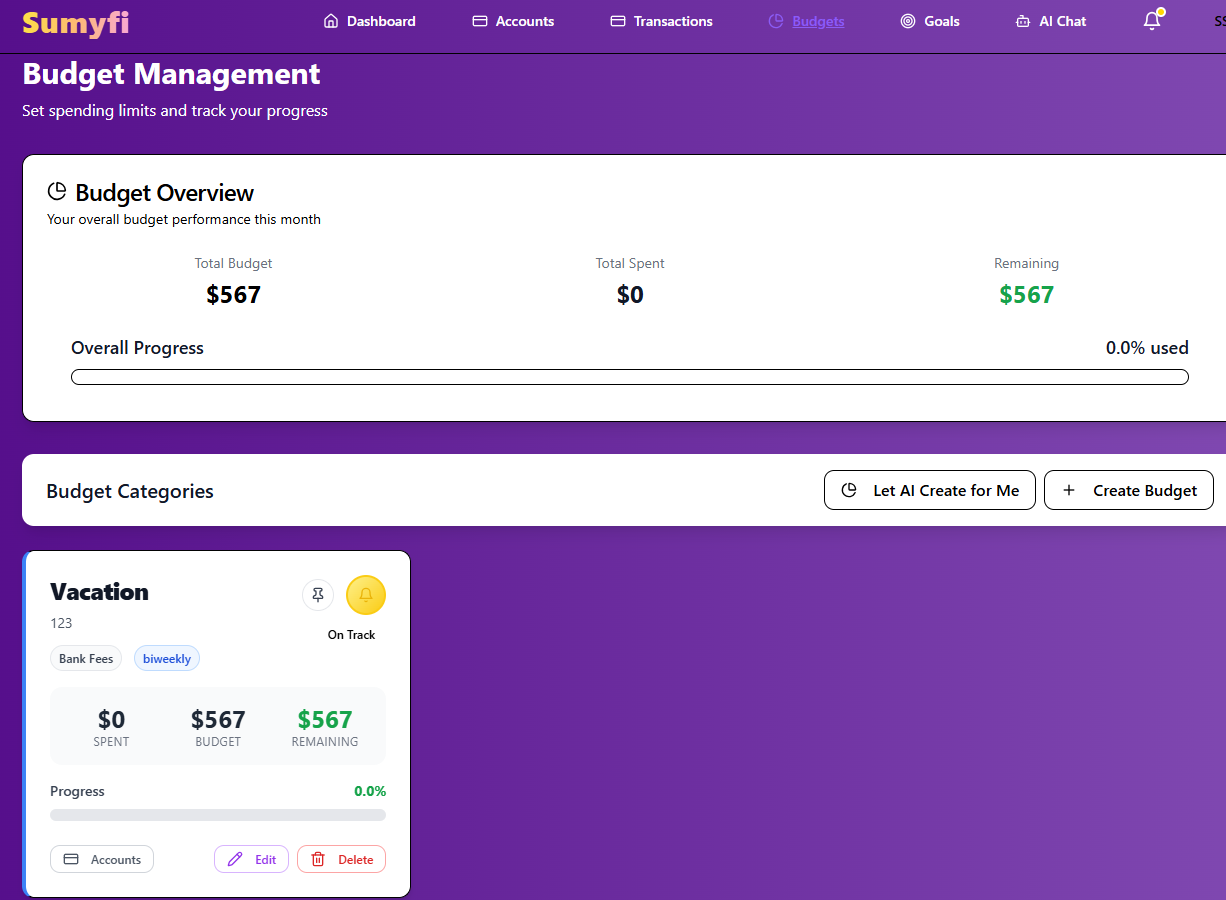
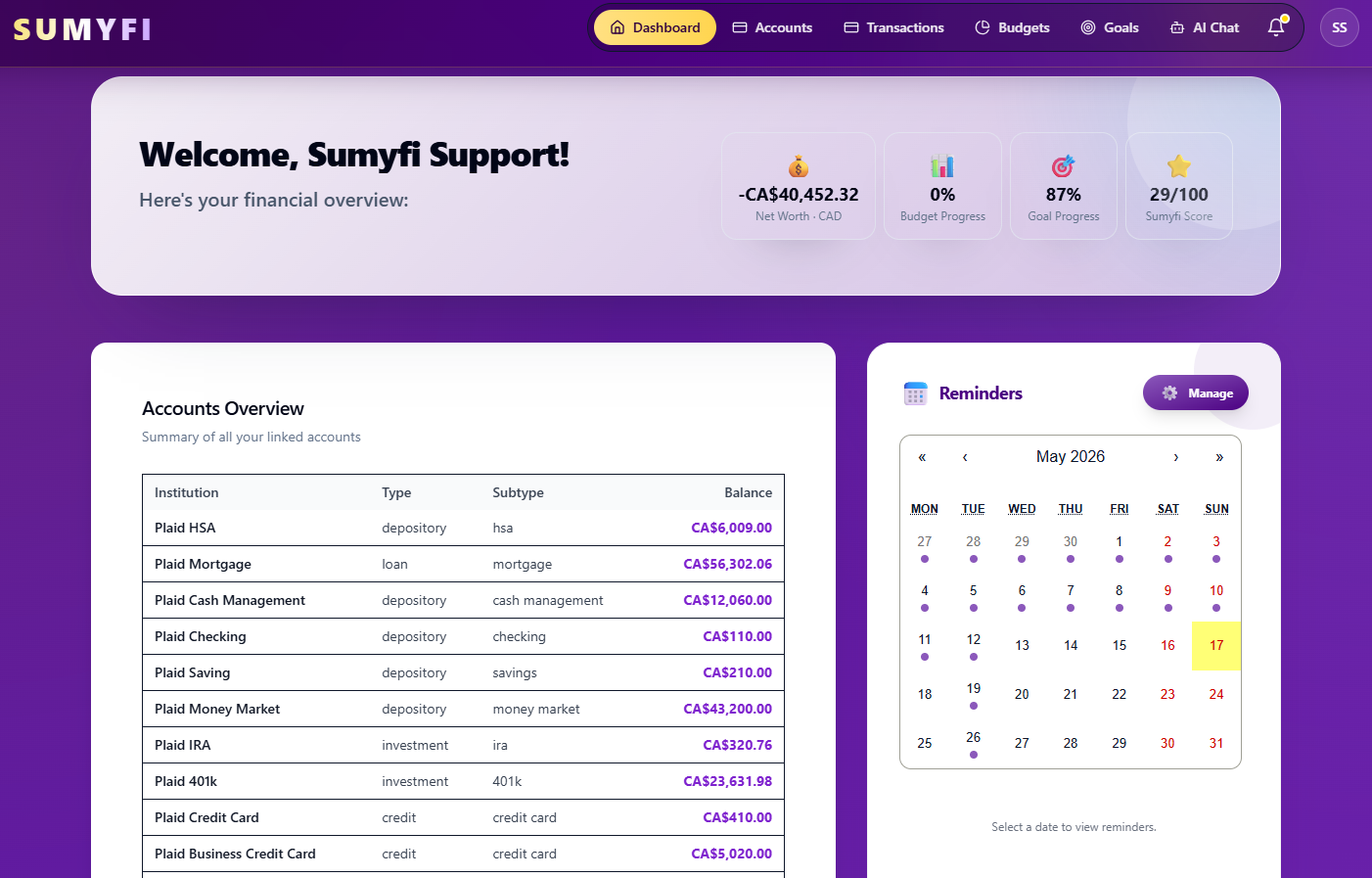
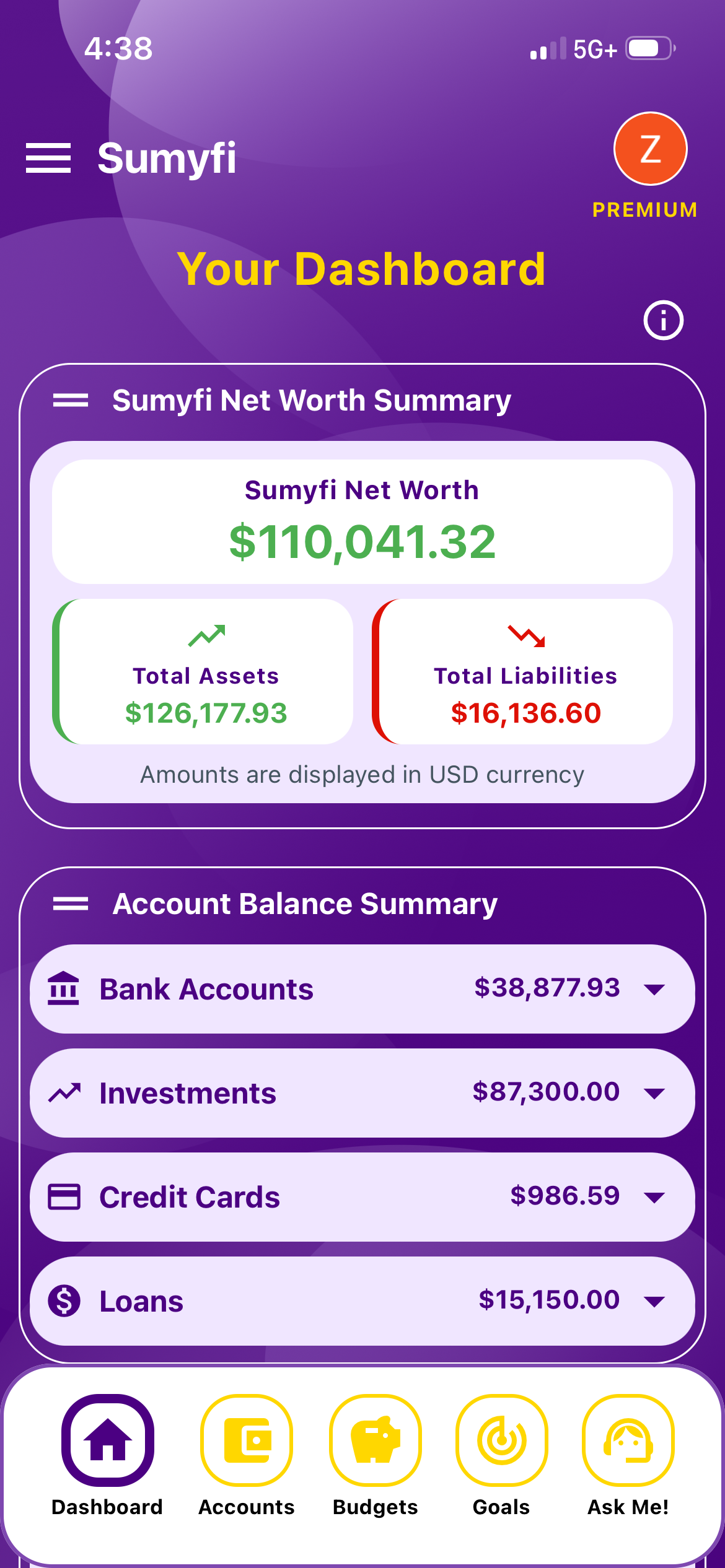
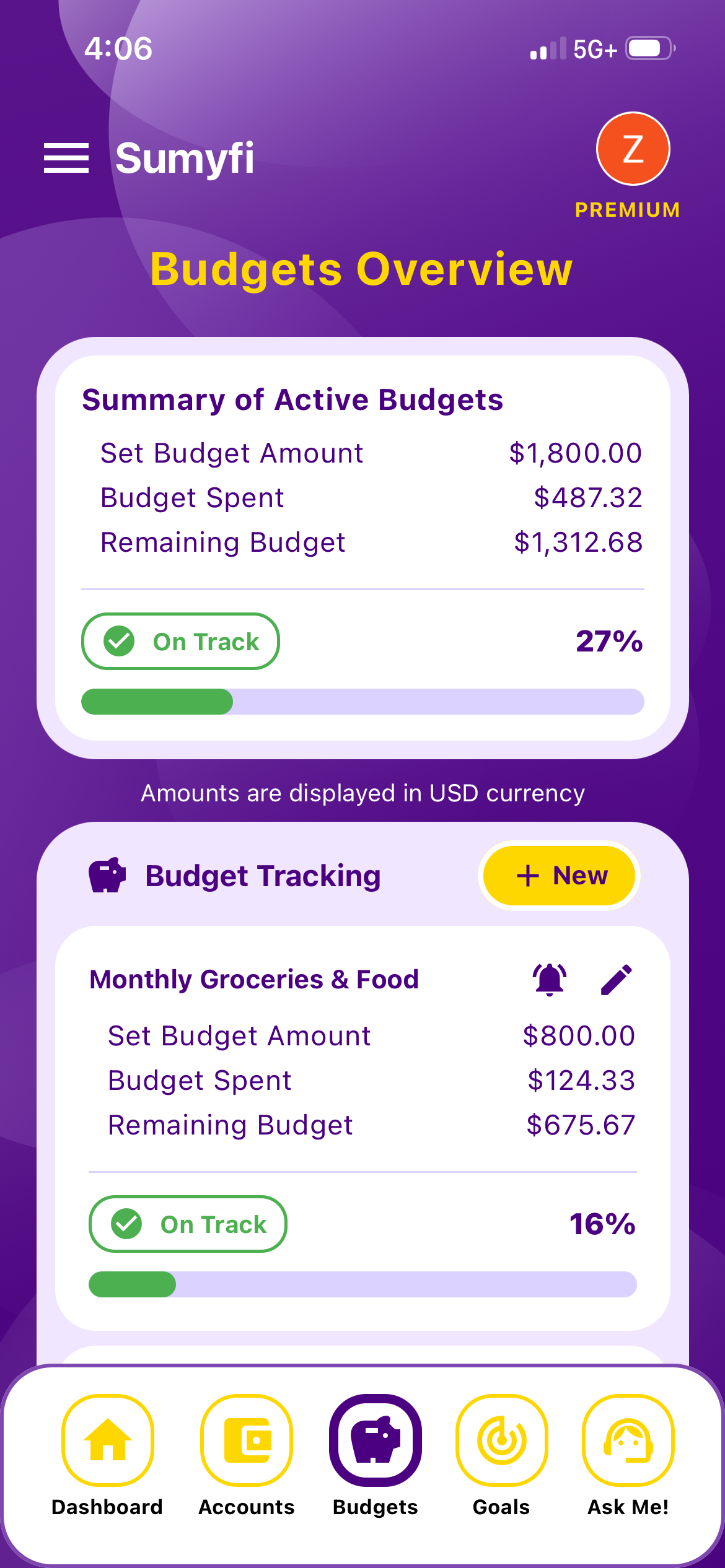
Sumyfi's dashboard keeps accounts, budgets, goals, net worth and recurring charges in one place, so the four day-one questions are answered on the same screen. The free plan covers manual accounts, budgets, goals with progress tracking, transaction categorization and basic reports, plus CSV or Excel import. No card is required to sign up.
Premium adds automatic bank sync through Plaid (read-only, Canadian and US institutions, coverage depends on your bank) and an AI assistant that's useful for beginners who don't know where every setting lives. You can type 'create a goal called Emergency Fund for $1,000 by March 31' and it sets it up. Premium has a 7-day free trial. Before AI features are turned on, you're asked for consent, and the assistant never receives account or card numbers, passwords or government ID.
Sumyfi doesn't move money, give investment advice, pull credit scores or file taxes. For a beginner, that's mostly fine, since none of those belong in the first month anyway.
Pros
- The day-one basics on one dashboard
- Free plan with no card required
- Plain-language AI assistant on Premium
Cons
- Automatic bank sync requires Premium
- No credit score or investment features
What your first month should look like
By the end of the first month, you don't need a perfect budget. You need three things: all your main accounts showing in one place, a list of what comes out every month, and a rough idea of where the rest went. If you've also put something toward your one goal, that's a good month.
From there, add a second budget category, link any accounts you skipped, and start checking net worth once a month. That's the order most people who stick with it follow: see first, plan second, optimize much later.