Free Subscription Tracker for a Quick Recurring Charge Check
Track recurring merchants, renewal buffers, and monthly subscription drag for free subscription tracker from one review surface without bouncing between statements, inbox searches, and card apps before another renewal slips into background noise.
People who land here usually want a quick audit, not a long comparison. They want to surface recurring charges, spot anything forgotten, and decide whether the problem is bigger than they thought.
That makes This guide narrower than the free subscription tracking app page. This one is about the first look. The app page is about building an ongoing free workflow.
If you want a free first check before you decide how deep the subscription problem really goes, start here.
At a glance
- Quick first look
- Recurring charges in one place
- Good before a deeper review
Test recurring subscriptions and monthly renewals with a free account, no credit card required, and read-only bank security.
Helpful when you want to find the monthly charges that keep eroding flexibility.
The better free subscription tracking tool helps you spot what is quietly repeating before it becomes background noise.
Recurring charges make more sense when free subscription tracking keeps them connected to the rest of your spending picture.
What free should do
The free version should make recurring charges obvious fast
A useful free tracker does not need to solve everything. It needs to show what is renewing, what feels forgotten, and which charges deserve another look while the information is still easy to act on.
That first layer of clarity matters because many people are still figuring out whether they have one or two old subscriptions or a bigger recurring-spend problem.
Best buyer fit
This is for first-pass cleanup, not the full tracker comparison
If you already know you want a broader subscription tool, use a comparison page instead. This guide is better for someone who wants to see the recurring layer quickly before deciding what kind of tool they need.
Keeping that role clear helps This guide avoid competing with the fuller free subscription app page.
- Best for a first look at recurring charges
- Useful before you choose a longer-term tracker
- Meant to surface the problem, not cover every money task
Next step
If the first check shows a bigger problem, move to a fuller free workflow
Once the quick audit is done, many people want a better view of total cost, account context, and what to do with the services they found. That is where the free subscription tracking app page becomes more useful than this first-pass page.
That handoff is intentional. It gives each page a different job instead of making both pages say the same thing.
3-step workflow
How recurring-charge review works in 3 steps
The key question is whether recurring-charge visibility turns into a repeatable monthly decision habit.
Link accounts or start with manual subscriptions
Begin with either linked account data or a manual subscription list if you want lighter setup for the first pass.
Detect recurring merchants and set reminder intervals
Sort subscriptions and recurring bills into clear free subscription tracker categories then set 3-day, 7-day, or due-date alerts before the renewal lands for this cycle.
Audit monthly burn and take action
Audit the full recurring spend, then choose what to keep, downgrade, or remove and keep the result tied to the broader monthly budget for this month.
Product screenshots
See the product behind the copy
Screenshots shown: Subscriptions, Transactions.
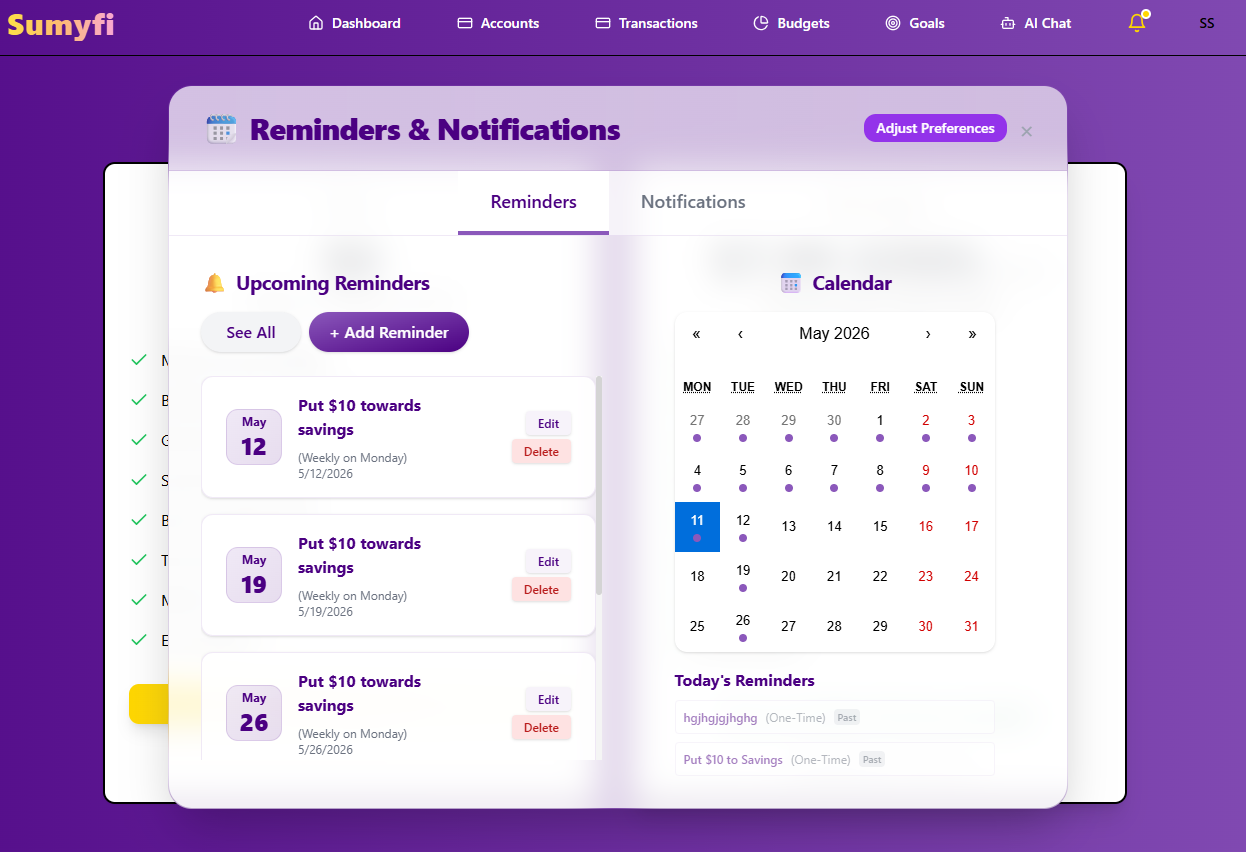
Subscriptions brings recurring charges, reminders, and renewals into one review.
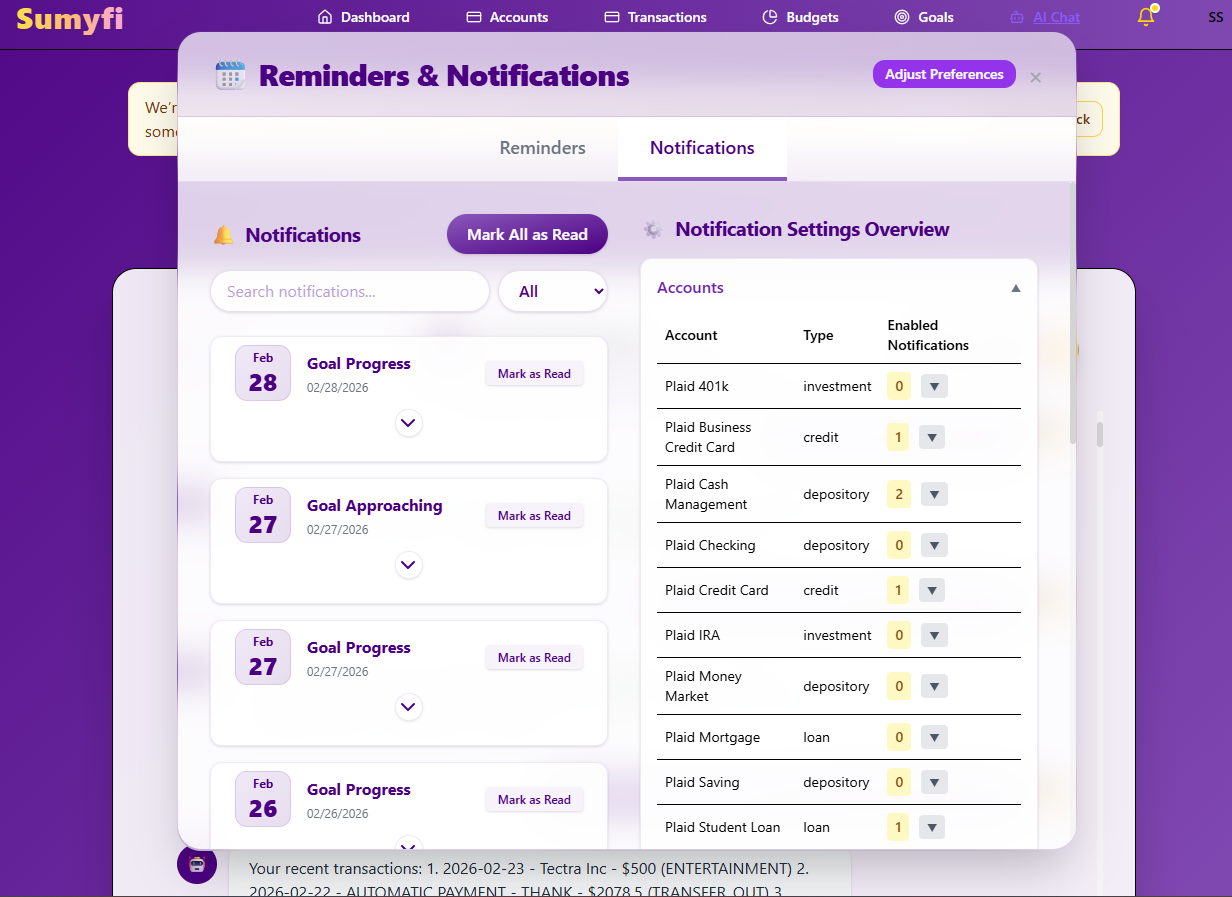
Subscriptions brings recurring charges, reminders, and renewals into one review.
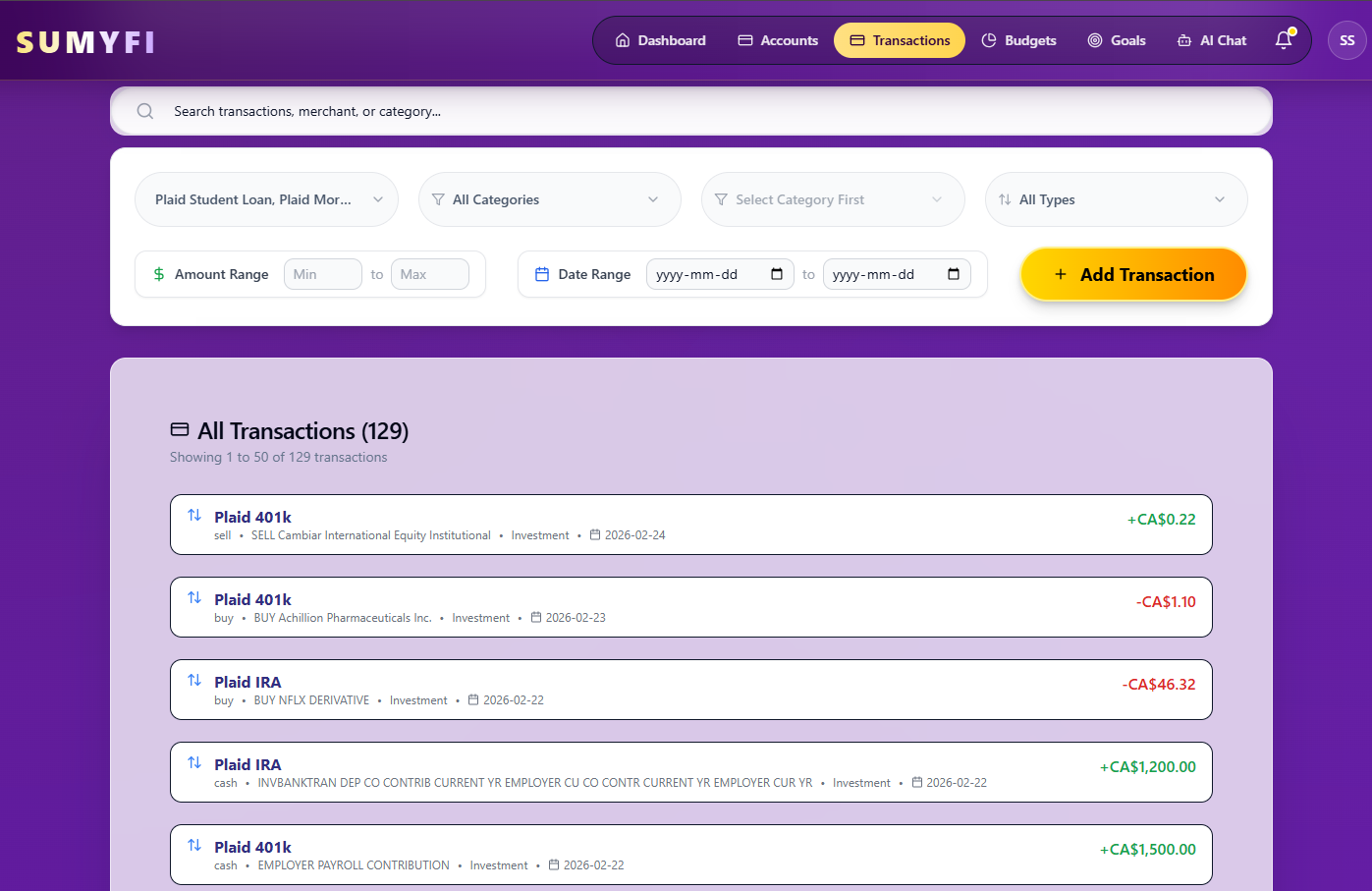
Transactions brings recurring charges into one review so upcoming renewals are easier to spot.
Comparison table
How free subscription tracker compares in real use
Compare the options on whether recurring subscriptions and monthly renewals stays easier to review after setup week.
| Decision area | Sumyfi | Other tools |
|---|---|---|
| Recurring-merchant review | Recurring merchants, alerts, and category context in one place | Recurring charges often live in a narrower workflow |
| Reminder control | Lead-time renewal reminders before the charge posts | Lighter alert timing or less monthly context |
| After-cancellation value | Still useful once the first cleanup pass is done | Often strongest during the initial cancellation sweep |
Free plan
What's included in the free plan
Use the free path as the first proof point for recurring subscriptions and monthly renewals before premium features become the argument.
- Start without payment details so the workflow can be tested before any plan decision is required.
- Use one web dashboard for budgets, goals, balances, and recurring bills instead of spreading them across separate tools for this workflow.
- Use manual tracking first, then connect eligible institutions later if you want broader automation.
- The free subscription tracker pricing page holds the latest plan terms so stale pricing copy does not creep into this landing page for this route.
Recommended next reads
Read 5 related articles next
Related reading for the next question.
FAQs
Frequently asked questions
Is free subscription tracker free to start?
Yes. You can open the dashboard without a credit card, start with recurring charges manually, and decide later whether you want deeper paid features.
How do reminder intervals work?
The workflow is built around lead-time reminders so recurring charges are reviewed before they blend back into the statement.
Can it separate streaming, SaaS, and other recurring merchants?
Yes. Merchant organization is built to keep recurring subscriptions and monthly renewals from collapsing into one undifferentiated charge list.
Does it still help after the easiest cancellations are gone?
Yes. The same dashboard still helps with renewal timing, monthly cash-flow tradeoffs, and spotting the next recurring leak after the first cleanup pass.