You can track your net worth properly without paying anything. The real choice is between a spreadsheet you update by hand and a free app that's paid for some other way. Here's how each works, what you give up, and a setup you can finish in half an hour.
A free net worth tracker is one of the few finance tools where free genuinely works. Net worth is a monthly number, not a daily one, and it only takes a handful of balances to calculate. Plenty of people have tracked it for a decade in a Google Sheet without ever paying for software. The question isn't whether free is good enough. It's which kind of free suits how you like to work.
Below we cover the four kinds of free tracker, how to set up a spreadsheet that holds up for years, an honest comparison of spreadsheets and apps, what free apps usually cost you in other ways, and a 30-minute setup to get your first number. Sumyfi's free plan is one option, and we'll say exactly what's in it.
The four kinds of free net worth tracker
Free covers a few very different things. It's worth knowing which one you're looking at before you put your account details into anything.
Calculators
you type in your balances once and get a number, good for a first look but they don't keep history
Spreadsheets
Google Sheets or Excel, free forever and fully private, but every balance is typed by hand
Free apps paid by something else
the app is free because the company earns money from advisory services, card and loan offers, or advertising
Freemium apps
the core tracker is free with manual entry, and automatic bank sync is part of a paid tier
How to build a free net worth tracker in a spreadsheet
If you go the spreadsheet route, the layout matters more than the formulas. The mistake most people make is one column per month across the top, which gets unwieldy after a year and breaks when you open or close an account.
A better setup is one row per account per month, like a log. Your columns are: date, account name, institution, type (cash, investment, retirement, property, debt), currency, and balance, with debts entered as negative numbers. Each month you add a block of rows, one for each account. A household with ten accounts adds ten rows a month, which is about 15 minutes of logging in and copying numbers.
Then add a second tab that totals the balance column by date. In Google Sheets, a pivot table or a SUMIF on the date column does it. Chart that and you have net worth over time. Because every row has a type, you can also break the total into cash, investments and debts without rebuilding anything when an account changes.
Keep a notes column too. One line like 'bonus deposited' or 'refinanced car loan' saves a lot of head-scratching when you look back at a big jump a year later.
Spreadsheet or free app: an honest comparison
Both work. They fail in different ways, and the right choice depends mostly on whether you'll actually keep updating a spreadsheet.
Spreadsheets are private, flexible and permanent. You can include anything, like a pension, a car or money a friend owes you, and value it however you like. Nothing breaks when a bank changes its login page. The downside is that it's all manual, typos go unnoticed, and the habit is easy to drop. Skip two months and the whole thing starts to feel stale.
Apps are faster once set up, and they can show how your spending and saving connect to the net worth change. But bank connections break and need re-authorizing, free apps tend to have limits or sales pitches, and you're trusting a company with read access to your accounts.
- Pick a spreadsheet if: you have fewer than about ten accounts, you like control, and you'll reliably spend 15 minutes on it each month
- Pick an app if: you have many accounts, share finances with a partner, or know you'll skip a manual routine
- Use both if: you want the app for day-to-day and a spreadsheet for a long-term log you fully own
What free net worth apps cost you in other ways
Running a finance app costs money, especially bank connections. If you're not paying, someone else is, and it's worth spending two minutes figuring out who.
Some free apps are funded by a wealth management business and may contact you about it. Some earn referral fees when you sign up for a credit card or loan they suggest. Some are freemium and limit the free tier so the paid one looks better. None of these are necessarily bad. But read the privacy policy for one thing: whether your data is used for advertising or shared with partners. If the answer is vague, assume yes.
Also check whether you can export your data. A free tracker that holds three years of history you can't download is a trap the day you want to leave.
What Sumyfi's free plan gives you for net worth tracking
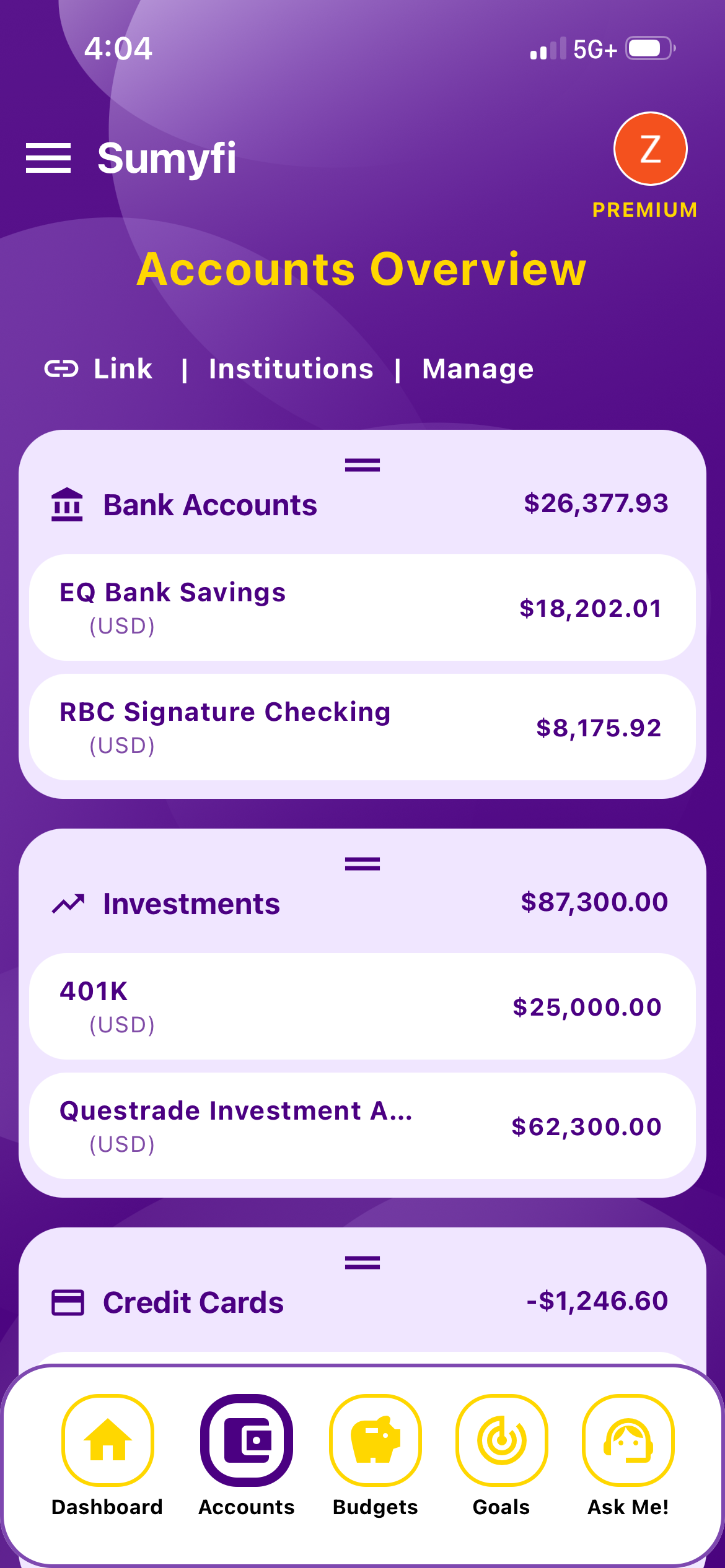
Sumyfi is a freemium app. The free plan doesn't need a card and includes manual accounts, budgets, savings goals, transaction categorization, basic reports, the Sumyfi Score and CSV or Excel transaction import. You add each account as a bank, investment, credit card or loan account, in CAD or USD, and Sumyfi totals your assets and debts into a net worth figure. The accounts page shows net worth, total assets, total liabilities and a breakdown by account type.
So functionally it's the spreadsheet log above, with the totals done for you and your budget and goals on the same screen. You still update balances by hand. Automatic bank sync through Plaid (read-only) is part of Premium, which has a 7-day free trial if you want to see whether sync is worth paying for.
If you just want a single number today without signing up for anything, the free net worth calculator on our site does that. It won't keep history, but it's a quick way to see where you stand.
Pros
- Free with no card, and manual accounts count toward net worth
- Budgets and goals sit next to the number
- CAD and USD accounts in one total
Cons
- Balances are manual unless you upgrade
- No automatic home or car valuation
Set up a free net worth tracker in 30 minutes
Whatever tool you pick, the first setup goes the same way.
- List every account: chequing or checking, savings, investment and retirement accounts, credit cards, loans and mortgage. Include ones you rarely look at.
- Decide on two or three non-account assets, if any, like your home or car. Use a conservative value and write down where it came from.
- Log in to each account and record today's balance in your spreadsheet or app. In a spreadsheet, enter debts as negative numbers so the total works. In an app, add them as loan or credit card accounts.
- Check the total against a rough mental estimate. If it's way off, look for a missing account or a debt counted twice.
- Put a monthly reminder in your calendar for the same day each month. The first number matters much less than the twelfth.



.PNG)